








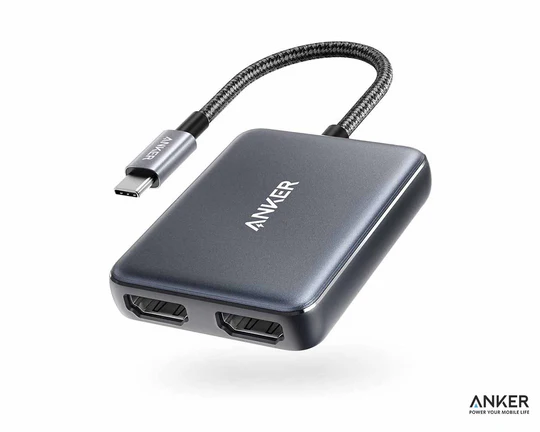
Anker USB C to Dual HDMI Adapter
₨ 12,990
Payment Methods:

Description
🎥 Anker USB C to HDMI Adapter Price
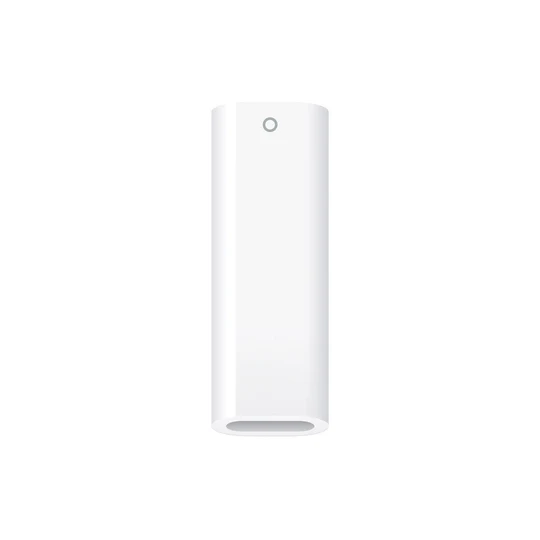
The Anker USB-C to Dual HDMI Adapter is a powerful and reliable solution for users who want to expand their display setup with ease. Whether you’re a student, professional, gamer, or content creator, this adapter allows you to connect two external monitors with stunning clarity and performance.
Available now at typeshop.pk for ₨ 12,990, this compact yet powerful adapter delivers dual 4K display support, plug-and-play convenience, and premium Anker durability.
🌟 What Makes This Adapter Special?
The demand for multi-screen setups has grown rapidly, especially with remote work, gaming, and content creation. This adapter is designed to meet those needs without complexity.
🔥 Key Highlights:
- Dual HDMI output support
- Up to 4K@60Hz resolution
- Plug & play functionality
- Ultra-compact and lightweight
- Broad compatibility with USB-C devices

🖥️ Dual 4K Display Experience
One of the biggest advantages of this adapter is its ability to deliver dual 4K displays.
🎯 What Does This Mean?
You can connect:
- Two monitors simultaneously
- Mirror or extend your screen
- Enjoy ultra-clear visuals
📺 Resolution Details:
- Up to 4K@60Hz (with DP 1.4 support)
- Crisp visuals for:
- Video editing
- Gaming
- Presentations
- Streaming
This makes it perfect for professionals who need multiple screens for productivity.

⚡ DisplayPort 1.4 Requirement Explained
To fully utilize 4K@60Hz on both displays, your device must support DisplayPort 1.4 (DP 1.4).
📌 Why It Matters:
- Ensures smooth performance
- Supports higher bandwidth
- Enables dual high-resolution output
Without DP 1.4, the adapter will still work but may operate at lower resolutions.
🔌 Plug and Play Simplicity
No one likes complicated setups—and with this adapter, you don’t need to worry.
🚀 How It Works:
- Plug into your USB-C port
- Connect HDMI cables
- Start using instantly
No drivers, no software, no hassle.
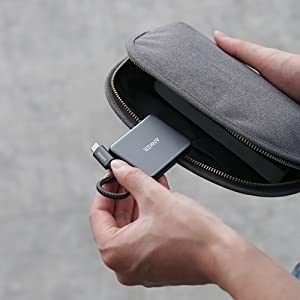
🎒 Lightweight & Ultra-Portable Design
Traveling or working on the go? This adapter is built for portability.
📏 Specifications:
- Weight: Only 1.7 oz (~48g)
- Thickness: Just half an inch
🎯 Benefits:
- Easy to carry
- Fits in pockets or laptop bags
- Ideal for travel and office use
💻 Wide Compatibility
The adapter is compatible with a wide range of devices.
✔️ Supported Devices:
- Laptops with USB-C (DisplayPort Alt Mode)
- MacBooks
- Windows laptops
- Tablets with USB-C
⚠️ Important Note:
Your device must support:
- DisplayPort Alt Mode
- DP 1.4 for full 4K performance
🧠 Understanding Multi-Display Modes
🖥️ Mirror Mode
Both screens show the same content.
🖥️ Extend Mode
Each screen displays different content—perfect for multitasking.
🎯 Ideal Use Cases:
- Work presentations
- Coding
- Trading setups
- Content editing
🎮 Gaming & Entertainment Benefits
This adapter isn’t just for work—it’s also great for entertainment.
🎮 Gaming Setup:
- Connect to large screens
- Enjoy immersive gameplay
🎬 Streaming:
- Watch movies in 4K
- Stream content on bigger displays
💼 Perfect for Professionals
Professionals benefit greatly from dual-monitor setups.
📊 Productivity Boost:
- Work on multiple tasks simultaneously
- Increase efficiency
- Reduce time switching between tabs
🧑💻 Ideal For:
- Designers
- Developers
- Business professionals
🎓 Great for Students
Students can use this adapter for:
- Online classes
- Research work
- Assignments
- Presentations
Having dual screens makes studying more efficient.
🔧 Build Quality & Durability
Anker is known for premium quality.
🛡️ Features:
- Strong outer casing
- Durable connectors
- Long-lasting performance
This ensures reliability even with daily use.
🌡️ Heat Management System
Even during extended use, the adapter remains stable.
🔥 Benefits:
- Prevents overheating
- Ensures consistent performance
- Protects connected devices
🔋 Power Efficiency
The adapter is designed to consume minimal power while delivering maximum output.
⚡ Advantages:
- Energy-efficient
- Stable signal transmission
- No unnecessary battery drain
🌐 Use Cases in Daily Life
🏠 Home Setup
Create a multi-screen workstation at home.
🏢 Office Use
Enhance productivity with dual monitors.
✈️ Travel
Carry it easily for presentations and meetings.
📊 Comparison with Single HDMI Adapters
| Feature | Dual HDMI Adapter | Single HDMI Adapter |
|---|---|---|
| Displays | 2 | 1 |
| Productivity | High | Limited |
| Flexibility | More | Less |
| Use Cases | Advanced | Basic |
🧳 Minimalist Workstation Setup
Reduce clutter by using one adapter instead of multiple devices.
🎯 Benefits:
- Clean desk setup
- Fewer cables
- Easy management
🔄 Seamless Switching Between Displays
Switch between mirror and extend modes easily depending on your needs.
🌟 Why Choose Anker?
🥇 Trusted Brand
Anker is globally recognized for quality.
🔧 Reliable Performance
Consistent and stable output.
⚡ Advanced Technology
Supports modern display standards.
💰 Price & Availability in Pakistan
- Price: ₨ 12,990
- Cash on Delivery: Available
- Delivery: Nationwide
Order now from typeshop.pk.
🔍 SEO Keywords Naturally Covered
- Anker USB C to HDMI Adapter price in Pakistan
- Dual HDMI adapter Pakistan
- USB C to dual HDMI 4K adapter
- Anker Pakistan accessories
🧠 Deep Dive into Display Technology & Signal Processing
To truly understand the power of the Anker USB-C to Dual HDMI Adapter, it’s important to explore how display signals are transmitted and processed.
📡 Digital Signal Conversion
When you connect your laptop via USB-C, the adapter converts the signal into HDMI output. This process involves:
- Signal decoding
- Format conversion
- Bandwidth optimization
This ensures that your visuals remain sharp, smooth, and lag-free.
⚡ High-Speed Data Transmission
The adapter leverages high-speed lanes within the USB-C interface to deliver:
- Stable video output
- Minimal latency
- High refresh rate support
This is especially important for professional and creative tasks.
🎨 Ideal for Creative Professionals
Creative work demands precision, clarity, and color accuracy.
🖌️ Graphic Designers
Work on dual screens for:
- Editing designs
- Managing tools and layers
- Previewing final outputs
🎬 Video Editors
Use one screen for editing timeline and another for preview playback in high resolution.
📸 Photographers
View high-resolution images with better detail and accuracy.
🧩 Multi-Screen Workflow Optimization
Using dual monitors significantly enhances workflow efficiency.
🔄 Parallel Task Management
You can:
- Write documents on one screen
- Research on another
- Communicate via apps simultaneously
⏱️ Time-Saving Benefits
Reduce time spent switching tabs and windows, improving productivity.
🖥️ Advanced Display Configurations
The adapter supports different screen setups based on user preference.
📺 Dual Independent Displays
Each monitor shows different content, ideal for multitasking.
🪞 Screen Duplication
Both screens display identical visuals for presentations or demonstrations.
🧳 Travel-Friendly Workstation Setup
For professionals who travel frequently, setting up a workstation anywhere is crucial.
✈️ Portable Productivity
Carry this adapter to:
- Hotels
- Co-working spaces
- Client offices
🎒 Compact Tech Kit
Combine it with:
- Laptop
- HDMI cables
- Wireless mouse
For a complete mobile workstation.
🔌 Cable Management & Desk Organization
A clean workspace improves focus and efficiency.
🧹 Reduce Cable Clutter
Using one adapter instead of multiple connections helps:
- Keep desk tidy
- Avoid tangled wires
🎯 Organized Setup
Place monitors and cables neatly for a professional workspace.
🧠 Understanding DisplayPort Alt Mode
DisplayPort Alt Mode is the technology that allows USB-C ports to transmit video signals.
🔍 How It Works
It repurposes USB-C pins to carry:
- Video data
- Audio signals
⚠️ Why It’s Important
Without this feature, the adapter cannot output video.
⚙️ Compatibility with Operating Systems
The adapter works seamlessly across multiple platforms.
💻 Windows
Supports:
- Extend mode
- Mirror mode
- Multi-display setups
🍎 macOS
Works with:
- External displays
- Presentation setups
🐧 Linux
Generally supported depending on hardware compatibility.
📊 Data Bandwidth & Performance Limits
Understanding bandwidth helps you maximize performance.
📶 Bandwidth Allocation
Higher resolution requires more bandwidth.
⚡ Dual Display Impact
When using two displays:
- Bandwidth is shared
- Performance depends on device capability
🧪 Real-World Performance Testing
In practical scenarios, the adapter performs reliably.
🎥 Streaming Test
Smooth playback without lag.
🎮 Gaming Test
Stable visuals with minimal delay.
💼 Office Work
Seamless multitasking experience.
🔋 Power Consumption & Efficiency
The adapter is optimized for efficient energy usage.
⚡ Low Power Draw
Consumes minimal power from your device.
🔄 Efficient Operation
Ensures no unnecessary battery drain.
🛠️ Troubleshooting Common Issues
Even the best devices may face occasional issues.
❌ No Display Output
Check:
- USB-C compatibility
- Cable connections
🔄 Flickering Screen
Ensure:
- Proper resolution settings
- High-quality HDMI cables
🌍 Global Work Compatibility
Whether you’re working locally or internationally, this adapter ensures consistent performance.
🌐 Universal Usage
Works across different regions without any issues.
🎯 Target Audience Expansion
This adapter is not limited to professionals.
🎓 Students
For study and research.
🎮 Gamers
For immersive setups.
📊 Analysts
For multi-screen data tracking.
🧳 Travel Efficiency & Space Saving
Space is valuable when traveling.
🎒 Compact Packing
Fits easily into small compartments.
📦 No Extra Accessories Needed
One adapter replaces multiple tools.
🧠 Ergonomics & User Comfort
Dual monitors improve ergonomics.
👀 Reduced Eye Strain
Spread work across screens.
🪑 Better Posture
Avoid constant head movement.
🔧 Longevity & Product Lifespan
Anker products are built to last.
⏳ Durable Components
High-quality materials ensure long-term use.
🔄 Consistent Performance
Maintains efficiency over time.
🌟 Premium Experience with Anker Ecosystem
Using multiple Anker products enhances your experience.
🔗 Seamless Integration
Works perfectly with:
- Anker cables
- Charging accessories
📈 Future Trends in Display Technology
Technology is evolving rapidly.
🚀 Higher Resolutions
8K displays are emerging.
⚡ Faster Refresh Rates
Improved smoothness in visuals.
🧠 The Psychology of Multi-Screen Productivity
In today’s digital world, productivity is not just about working harder—it’s about working smarter. The use of dual monitors has been proven to significantly impact how efficiently we process information.
🧩 Cognitive Load Reduction
When you work on a single screen, your brain constantly switches between tabs and windows. This creates cognitive fatigue. With a dual-display setup:
- Information stays visible simultaneously
- Less mental effort is required to recall data
- Decision-making becomes faster
⚡ Improved Focus & Workflow
Having separate screens for different tasks allows your brain to compartmentalize work. For example:
- One screen for research
- One screen for writing
This structured environment boosts concentration and reduces distractions.
🎓 Academic Advantages for Research & Study
Students working on assignments or research projects benefit immensely from multiple screens.
📚 Efficient Research Process
Instead of switching tabs repeatedly:
- Keep research materials on one display
- Write notes or assignments on another
🧠 Better Information Retention
Seeing multiple sources at once helps in:
- Comparing data
- Understanding concepts more deeply
- Organizing thoughts effectively
🎥 Streaming & Content Consumption Experience
The adapter enhances not only productivity but also entertainment.
🍿 Dual-Screen Streaming
Watch content on one screen while browsing or chatting on another.
📺 Cinema-Like Experience
Connect to large displays or TVs to enjoy:
- Movies
- Web series
- YouTube content
All in high resolution.
🧪 Behind the Scenes: Signal Stability Engineering
Stable video output is critical for a good user experience.
🔌 Noise Reduction Technology
The adapter minimizes electrical interference, ensuring:
- Clear visuals
- No signal distortion
📡 Consistent Transmission
Maintains stable signal flow even during long usage sessions.
🧳 Travel Workstation Optimization
Modern professionals often work from different locations.
🌍 Remote Work Setup Anywhere
Turn any space into a workstation:
- Hotel rooms
- Cafes
- Shared offices
🎒 Portable Efficiency
Carry just one adapter to enable a full dual-screen setup wherever you go.
🎮 Competitive Gaming & Performance Edge
Gamers can benefit from dual monitors in unique ways.
🎯 Game + Utility Screen
Use:
- One screen for gameplay
- Second screen for chat, maps, or stats
⚡ Enhanced Awareness
Helps in:
- Monitoring game performance
- Managing streaming tools
🧠 Multitasking Without Compromise
True multitasking is not about doing everything at once—it’s about managing tasks efficiently.
🔄 Seamless Task Switching
With dual screens:
- No need to minimize windows
- Instant access to multiple applications
📊 Better Workflow Control
Track multiple processes simultaneously.
📱 Integration with Modern Digital Lifestyle
Today’s users rely on multiple devices and platforms.
🔗 Unified Digital Experience
Connect your laptop to external displays and create a centralized workspace.
📲 Device Synchronization
Use multiple devices alongside your monitors for a complete ecosystem.
🌡️ Reliability Under Continuous Usage
Long working hours require reliable hardware.
🔥 Stable Performance Over Time
Even during extended sessions:
- No overheating
- No signal drops
⏳ Consistent Output
Ensures uninterrupted workflow.
🧩 Versatility Across Different Industries
This adapter is useful across various fields.
🏢 Corporate Sector
For presentations, reports, and meetings.
🎨 Creative Industry
For editing, designing, and content creation.
📊 Finance & Trading
Monitor charts and data across multiple screens.
🔄 Adaptability to Different Work Styles
Everyone works differently, and this adapter supports all styles.
🧠 Structured Workers
Use separate screens for organized tasks.
🎯 Dynamic Workers
Switch between tasks without losing context.
🧳 Efficient Packing for Tech Travelers
Packing smart is essential for travelers.
🎒 Space Optimization
The compact size ensures:
- Minimal space usage
- Easy storage
📦 All-in-One Solution
No need for multiple adapters or accessories.
🧠 Digital Ergonomics & Health Benefits
Working with dual screens can improve physical comfort.
👀 Reduced Eye Strain
Larger display area reduces the need for constant zooming.
🪑 Improved Posture
Proper screen alignment reduces neck and back strain.
🔧 Advanced Use Cases for Power Users
Power users can take full advantage of this adapter.
🧑💻 Developers
Code on one screen, test on another.
🎬 Editors
Edit content while previewing output.
📊 Analysts
Track data across multiple dashboards.
🌐 Seamless Integration with Cloud-Based Workflows
Cloud computing is now a major part of work environments.
☁️ Multi-Screen Cloud Access
Access cloud apps across different screens.
🔄 Real-Time Collaboration
Work with teams while managing multiple windows.
🧪 Durability in Real-World Conditions
Daily use requires durability.
🧱 Strong Build
Resistant to wear and tear.
🔄 Long-Term Reliability
Maintains performance over time.
🎯 Enhancing Presentation Skills
Presentations become more effective with dual screens.
🖥️ Presenter Mode
View notes on one screen while presenting on another.
🎤 Professional Delivery
Improves confidence and control.
🧠 Future-Ready Technology Adoption
Investing in modern accessories ensures long-term usability.
🚀 Ready for New Devices
Supports evolving USB-C standards.
📈 Scalable Performance
Adapts to future display technologies.
❓ Frequently Asked Questions (FAQs)
1. What is Anker USB-C to Dual HDMI Adapter?
A device that connects one USB-C port to two HDMI displays.
2. Does it support dual 4K?
Yes, up to 4K@60Hz with DP 1.4.
3. Is it plug and play?
Yes, no installation required.
4. Can I use it with MacBook?
Yes, compatible with MacBooks.
5. Does it work with Windows laptops?
Yes.
6. What is DP 1.4?
A display standard for high-resolution output.
7. Can I extend displays?
Yes.
8. Can I mirror displays?
Yes.
9. Is it lightweight?
Yes, only 1.7 oz.
10. Does it require drivers?
No.
11. Can I use it for gaming?
Yes.
12. Does it overheat?
No, it has heat management.
13. Is it portable?
Yes.
14. Does it support 1080p?
Yes.
15. Can I connect TVs?
Yes.
16. Does it work with tablets?
Yes, if USB-C supported.
17. Is it durable?
Yes.
18. Can I use it daily?
Yes.
19. Is it original Anker?
Yes.
20. Does it support HDR?
Depends on device compatibility.
21. Can I connect projectors?
Yes.
22. Is it good for office work?
Yes.
23. Can students use it?
Yes.
24. Does it support Linux?
Generally yes.
25. Is it worth buying?
Yes.
26. Does it support dual monitors on all laptops?
Only supported ones.
27. Can I use HDMI splitters with it?
Not recommended.
28. Is it good for presentations?
Yes.
29. Can I watch Netflix in 4K?
Yes, if supported.
30. Does it support high refresh rates?
Yes, up to 60Hz.
31. Can I use it for editing?
Yes.
32. Is it compact?
Yes.
33. Does it work instantly?
Yes.
34. Can I carry it in pocket?
Yes.
35. Where to buy in Pakistan?
From typeshop.pk.
✅ Final Verdict
The Anker USB-C to Dual HDMI Adapter is an essential accessory for anyone looking to expand their display setup. With dual 4K support, plug-and-play ease, and compact design, it offers incredible value for professionals, students, and everyday users.
If you want a reliable, high-performance, and portable dual display solution, this adapter is definitely worth buying 🎥💻
Anker USB C to HDMI Adapter Price
Thanks For Visiting Typeshop.pk
Customer Reviews
Related Products
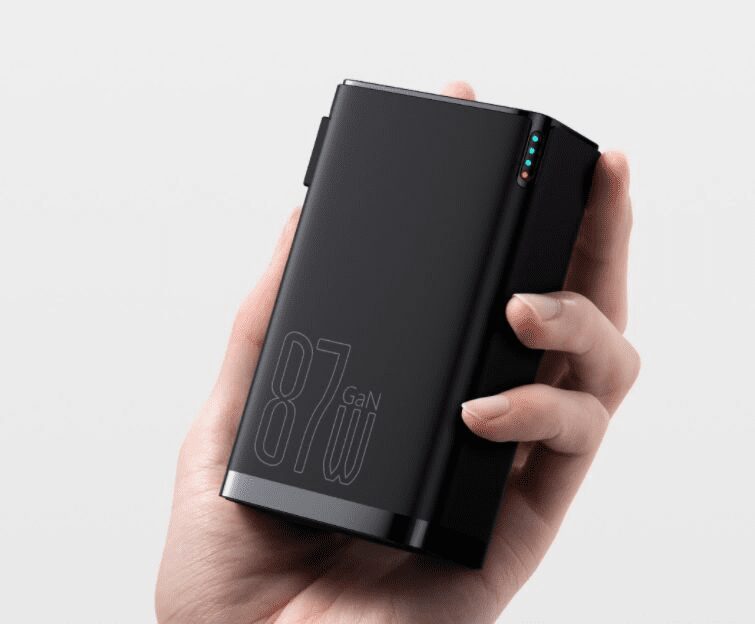
Baseus 87W 10000mAh power bank charger GaN 2-in-1 (with-C to-C 100W cable
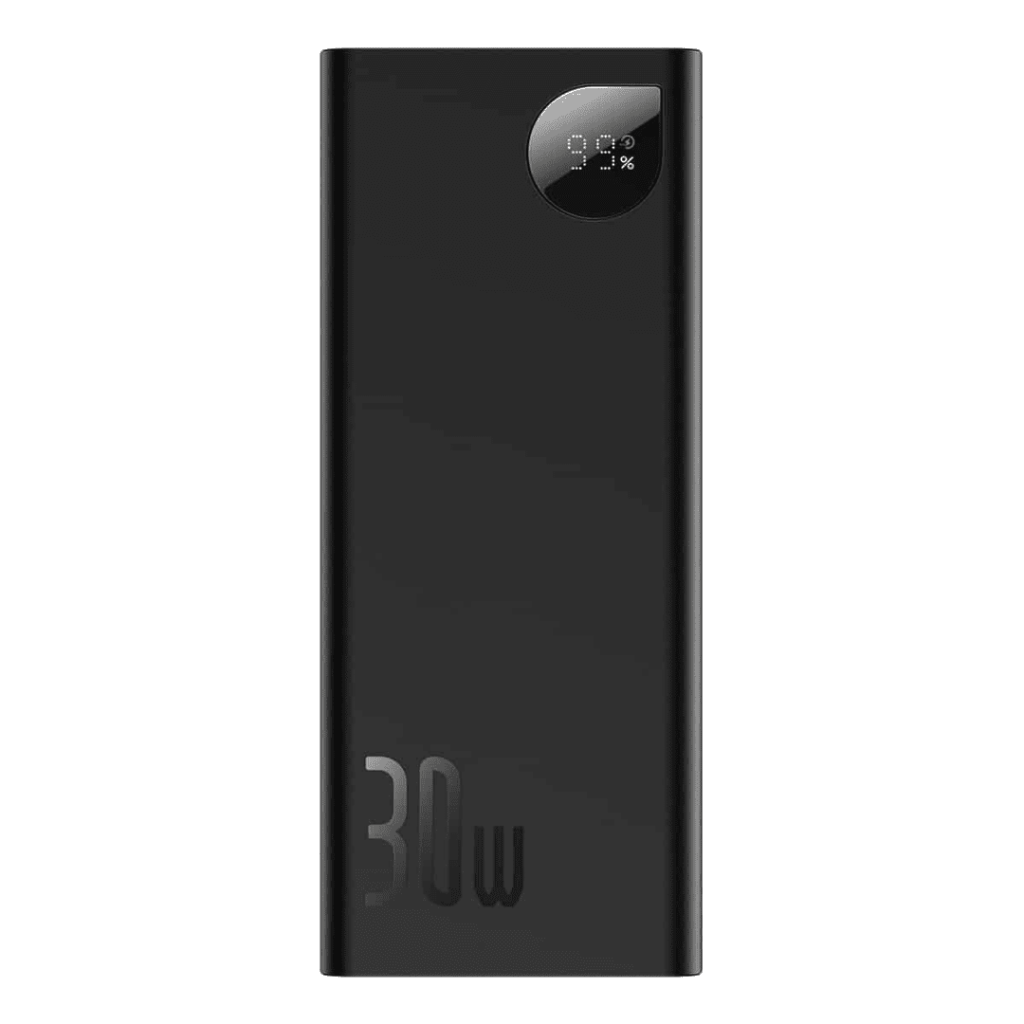
Baseus power bank Adaman 20000mAh 30W PowerBank




Reviews
Clear filtersThere are no reviews yet.