









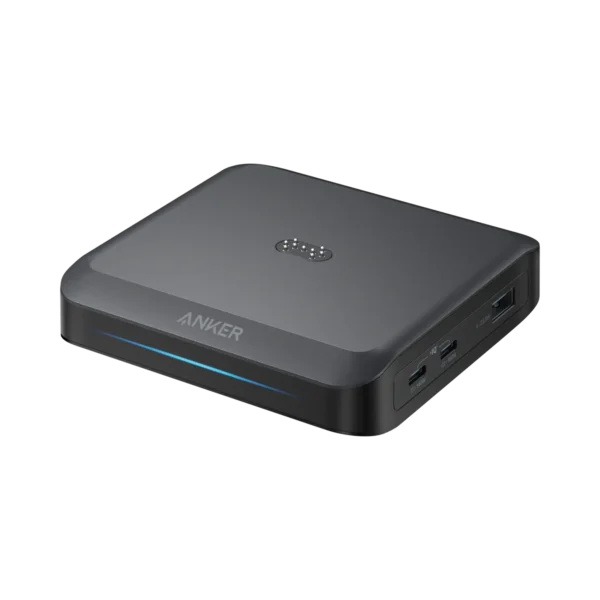

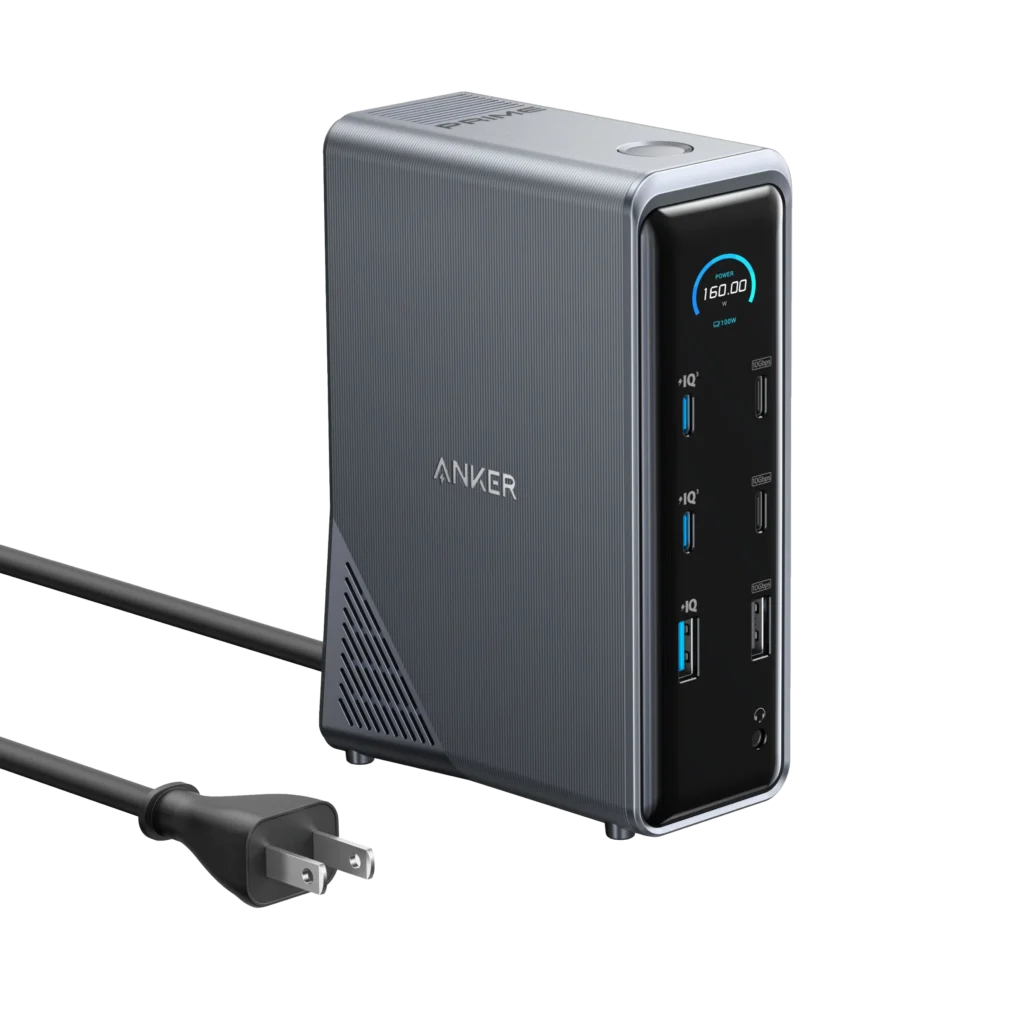
Anker Docking Station with removable hub
₨ 49,999
Contact on WhatsApp, for discount and more information.
Description
💻Anker Docking Station with removable hub price in Pakistan
Modern laptops are becoming thinner, lighter, and more portable, but this often comes at the cost of reduced connectivity options. Professionals, gamers, creators, students, and office users frequently struggle with limited ports on modern devices. This is where the Anker Docking Station with Removable Hub becomes an incredibly powerful solution.
Designed for productivity, workstation expansion, and premium desk setups, this advanced docking station transforms a single USB-C connection into a complete multi-device ecosystem.
The Anker Nano Docking Station (13-in-1, Triple Display, Built-In Removable Hub) is engineered for users who need:
- Multi-monitor support
- High-speed data transfer
- Fast charging
- Expanded connectivity
- Portable hub functionality
- Professional workstation management
Whether you use a laptop for work, content creation, gaming, editing, streaming, or office productivity, this docking station delivers premium performance with outstanding versatility.
⚡ Powerful 13-in-1 Connectivity Solution
The Anker Docking Station is packed with connectivity options designed to maximize productivity and simplify desk organization.
The docking station includes:
- USB-C ports
- USB-A ports
- HDMI outputs
- DisplayPort
- Ethernet
- Audio jack
- SD card support
- TF card support
- Power delivery support
This wide range of ports allows users to connect multiple peripherals through a single docking solution.
Instead of constantly plugging and unplugging accessories, users can create a permanent workstation setup with seamless device integration.
🔌 100W USB-C Upstream Port
The docking station features a powerful 100W USB-C upstream port for connecting to host devices such as:
- Laptops
- Ultrabooks
- MacBooks
- Tablets
- USB-C compatible devices
This upstream connection provides:
- High-speed data transfer
- Stable device connectivity
- Efficient workstation integration
The 100W USB-C connection helps support powerful productivity workflows while maintaining reliable communication between the dock and connected devices.
🚄 High-Speed 10Gbps Data Transfer
Speed matters when transferring large files, media projects, documents, and backups.
The Anker docking station supports ultra-fast 10Gbps data transfer speeds, making it ideal for:
- Video editors
- Photographers
- Content creators
- Gamers
- Office professionals
Users can quickly transfer:
- 4K videos
- RAW image files
- Game files
- Backup data
- Large documents
without significant waiting times.
The high-speed connectivity greatly improves workflow efficiency.
📱 Premium USB-C Connectivity
The docking station includes a dedicated:
- 7.5W USB-C port
- 10Gbps transfer capability
This port is ideal for connecting:
- SSD storage drives
- Smartphones
- Tablets
- External accessories
- USB-C peripherals
The combination of power delivery and high-speed data support makes it highly versatile.
🖱️ Convenient USB-A Ports
The docking station also includes:
- Two USB-A ports
- 2.5W power output
- 480Mbps data transfer speeds
These ports are useful for connecting:
- Mouse
- Keyboard
- Flash drives
- Printers
- Accessories
- Wireless receivers
This helps users maintain compatibility with traditional USB accessories.
🌐 Gigabit Ethernet for Stable Internet
Wi-Fi can sometimes be unstable or inconsistent, especially in:
- Offices
- Gaming environments
- Video conferences
- Streaming setups
The built-in Gigabit Ethernet port provides:
- Stable internet connectivity
- Faster wired networking
- Lower latency
- Improved reliability
This is especially beneficial for:
- Gamers
- Remote workers
- Streamers
- Online meetings
- File transfers
Wired internet connections often provide better stability than wireless networks.
🎧 Integrated Audio Jack
The docking station includes a built-in audio jack for:
- Headphones
- Speakers
- Gaming headsets
- Audio accessories
This simplifies audio connectivity and keeps essential ports accessible.
Users can easily switch between work and entertainment setups without cable management issues.
🖥️ Triple Display Support for Maximum Productivity
One of the biggest highlights of the Anker Docking Station is its triple display support.
The dock allows users to connect up to:
- Three external monitors
using:
- Two HDMI ports
- One DisplayPort
This dramatically expands workspace productivity and multitasking capabilities.
🎥 Stunning 4K@60Hz Display Output
Each display output supports up to:
📺 4K resolution at 60Hz
This ensures:
- Smooth visuals
- Sharp image quality
- Better color detail
- Professional display performance
The docking station is excellent for:
- Video editing
- Graphic design
- Gaming
- Office multitasking
- Programming
- Financial trading setups
The 4K 60Hz support creates a premium visual experience.
🪟 Windows Multi-Monitor Advantages
Windows users can enjoy independent display functionality.
This means users can:
- Extend screens separately
- Display different content on each monitor
- Create advanced multitasking environments
This is ideal for:
- Professionals
- Creators
- Traders
- Streamers
- Developers
who rely heavily on multi-monitor workflows.
🍎 macOS Display Limitations Explained
MacOS users should note an important limitation:
- External displays will mirror identical content.
This behavior depends on macOS external display handling rather than the docking station itself.
Even with this limitation, MacBook users still benefit from:
- Expanded connectivity
- Fast charging
- Ethernet
- USB expansion
- Workspace organization
🧩 Unique Removable USB-C Hub Design
One of the most innovative features of this docking station is the detachable USB-C hub.
Unlike ordinary docks, the Anker Nano Docking Station includes a portable removable hub that can also function independently.
This creates exceptional flexibility for users who:
- Travel frequently
- Switch workspaces
- Need portable connectivity
The detachable hub transforms the dock into two productivity tools in one package.
💼 Portable Hub for Mobile Productivity
The removable USB-C hub is compact and portable, making it ideal for:
- Travelers
- Students
- Remote workers
- Business professionals
Instead of carrying the full dock everywhere, users can simply carry the smaller hub for essential connectivity needs.
This greatly improves portability and convenience.
⚡ Removable Hub Features
The detachable hub includes:
- 7.5W USB-C port
- 4.5W USB-A port
- SD card slot
- TF card slot
- HDMI output
- USB-C input
- USB-C upstream output
Despite its compact size, the hub remains highly capable.
📸 Perfect for Photographers and Creators
The SD and TF card slots make the removable hub excellent for:
- Photographers
- Videographers
- Drone users
- Content creators
Users can quickly transfer:
- Photos
- Videos
- Camera footage
- Media files
without requiring external adapters.
This streamlines content workflows significantly.
📺 Additional 4K HDMI Support
The removable hub also supports:
🎥 4K@60Hz HDMI output
This allows users to connect external displays while traveling or working remotely.
The hub becomes an ideal portable productivity accessory for presentations and workstation expansion.
🔋 100W USB-C Input with 85W Output
The removable hub supports:
- 100W USB-C input
- 85W upstream output
This allows users to:
- Power connected devices
- Maintain laptop charging
- Support accessory connectivity
while using the hub.
This feature is especially useful for professionals working on the go.
🧠 Smart Workstation Management
The Anker Docking Station simplifies workstation organization dramatically.
Users can connect:
- Monitors
- Keyboards
- Mouse
- SSDs
- Ethernet
- Audio devices
- Memory cards
through one organized docking system.
This reduces:
- Cable clutter
- Adapter dependency
- Desk mess
- Connection confusion
🎮 Excellent for Gaming Setups
Gamers benefit greatly from docking stations because they often use:
- Multiple displays
- Wired internet
- Gaming peripherals
- Streaming accessories
The Anker dock helps gamers:
- Organize setups
- Expand connectivity
- Improve desk management
- Maintain stable connections
Its premium design also complements gaming environments beautifully.
💼 Ideal for Office Professionals
Office workers frequently need:
- Multiple displays
- Stable internet
- Accessory connectivity
- Fast file transfers
This docking station helps professionals create efficient productivity environments.
The multi-monitor support is especially useful for:
- Spreadsheets
- Meetings
- Productivity software
- Communication apps
🧑💻 Great for Developers and Programmers
Developers often rely on:
- Dual monitors
- Ethernet
- External storage
- Fast data transfer
The Anker dock helps programmers maintain powerful workstation setups while simplifying connectivity management.
🎨 Excellent for Creative Professionals
Creative professionals benefit from:
- 4K displays
- High-speed transfers
- SD card slots
- Multi-monitor workflows
The docking station supports demanding creative tasks such as:
- Video editing
- Graphic design
- 3D rendering
- Photo editing
Its connectivity options are ideal for professional workflows.
🌟 Premium Design and Build Quality
Anker is globally recognized for premium accessories and high-quality engineering.
The docking station reflects this premium reputation through:
- Durable materials
- Elegant design
- Professional aesthetics
- Solid construction
It looks clean, modern, and highly professional on any desk setup.
🏠 Perfect for Hybrid Work Environments
Hybrid work has increased the demand for efficient docking solutions.
Users working between:
- Home
- Office
- Remote locations
benefit greatly from the dock’s:
- Flexible connectivity
- Portable hub system
- Simplified setup management
The removable hub especially improves mobility for hybrid workers.
🇵🇰 Anker Docking Station with Removable Hub Price in Pakistan
The estimated price of the Anker Docking Station with Removable Hub in Pakistan is:
💰 ₨ 49,999
Prices may vary depending on:
- Import costs
- Availability
- Stock levels
- Promotions
For latest updated pricing and availability, visit:
🌐 Trusted Brands Available at Typeshop.pk
Typeshop.pk Official Website deals in reliable and authentic products from globally trusted technology brands including:
- Apple
- Samsung
- ASUS
- Cooler Master
- Fitbit
- Xiaomi
- Microsoft Surface
- Sony
- Beats
- Bose
- Anker
- Baseus
- Amazon
- Huawei
- Soundcore
- Amazfit
- Roku
- Nothing
- OnePlus
- Haylou
- Mibro
- NVIDIA
- HP
- Dell
For the latest original gadgets, premium accessories, docking stations, chargers, audio products, and smart devices in Pakistan, visit:
❓ Frequently Asked Questions (FAQs) – Anker Docking Station with Removable Hub (13-in-1, Triple Display)
1. What is the Anker Docking Station with Removable Hub?
It is a 13-in-1 workstation dock for expanding laptop connectivity.
2. What is the price in Pakistan?
It is approximately ₨ 49,999.
3. How many ports does it have?
It has 13 different connectivity ports.
4. Does it support triple display?
Yes, it supports up to 3 monitors.
5. What is the maximum resolution?
It supports up to 4K at 60Hz.
6. Which ports support display output?
HDMI and DisplayPort are used.
7. Does it support Windows triple display?
Yes, full independent displays on Windows.
8. Does Mac support triple display?
No, Mac mirrors displays.
9. What is USB-C upstream port?
It connects your laptop to the dock.
10. What is the speed of upstream USB-C?
It supports up to 10Gbps.
11. Does it support fast data transfer?
Yes, up to 10Gbps.
12. Is it good for large file transfers?
Yes, it is ideal for large files.
13. Does it support SSDs?
Yes, external SSDs work perfectly.
14. Does it support hard drives?
Yes, external HDDs are supported.
15. How many USB-A ports are there?
Two USB-A ports.
16. What is USB-A speed?
Up to 480Mbps.
17. Does it have USB-C ports?
Yes, multiple USB-C ports.
18. What is the Ethernet speed?
Gigabit Ethernet is supported.
19. Is internet stable?
Yes, wired connection is very stable.
20. Does it support Wi-Fi replacement?
Yes, Ethernet is better than Wi-Fi.
21. Does it have audio jack?
Yes, a 3.5mm audio port.
22. Can I use headphones?
Yes, wired headphones work.
23. Is it good for gaming?
Yes, especially for multi-monitor setups.
24. Does it reduce lag?
Yes, Ethernet reduces latency.
25. Is it good for streaming?
Yes, very stable for streaming.
26. Does it support MacBooks?
Yes, fully compatible.
27. Does it support Windows laptops?
Yes, fully compatible.
28. Is it plug and play?
Yes, no complex setup needed.
29. Does it need drivers?
Mostly no drivers required.
30. Is it easy to use?
Yes, very user-friendly.
31. What is removable hub?
A detachable portable USB-C hub.
32. Can I use hub separately?
Yes, it works independently.
33. Is hub portable?
Yes, it is travel-friendly.
34. What ports are in hub?
USB-C, USB-A, HDMI, SD, TF.
35. Does hub support SD cards?
Yes, SD card slot included.
36. Does it support TF cards?
Yes, TF card slot included.
37. Is hub good for photographers?
Yes, perfect for camera files.
38. Does it support 4K HDMI?
Yes, 4K@60Hz HDMI output.
39. Is hub fast?
Yes, up to 5Gbps speed.
40. What is hub USB-C input?
It powers the hub.
41. Does hub support charging?
Yes, USB-C power input supported.
42. What is upstream output?
It connects hub to laptop.
43. Is hub lightweight?
Yes, very compact design.
44. Is docking station heavy?
Moderate desktop weight.
45. Is it portable?
Main dock is desktop use, hub is portable.
46. Can I travel with full dock?
Not recommended, use hub instead.
47. Is it good for office use?
Yes, excellent for offices.
48. Is it good for home setup?
Yes, perfect for home office.
49. Does it improve productivity?
Yes, significantly improves workflow.
50. Does it support multitasking?
Yes, multi-monitor multitasking.
51. Is it good for students?
Yes, for study setups.
52. Is it good for developers?
Yes, ideal for coding setups.
53. Does it support video editing?
Yes, perfect for editors.
54. Is it good for designers?
Yes, supports creative workflows.
55. Does it support 3 monitors?
Yes, triple display support.
56. Can I extend screens?
Yes, extended mode supported.
57. Does it support mirror mode?
Yes, mirroring also possible.
58. Is performance stable?
Yes, very stable performance.
59. Does it heat up?
Slight heat is normal.
60. Is it safe?
Yes, built-in protections included.
61. Does it support power delivery?
Yes, USB-C power delivery supported.
62. What is max power input?
Up to 140W input.
63. Can it charge laptop?
Yes, supports laptop charging.
64. Does it replace chargers?
Partially, depends on setup.
65. Is cable included?
Yes, usually included.
66. Is it expensive?
It is a premium device.
67. Is it worth the price?
Yes, for professionals.
68. Does it support dual HDMI?
Yes, two HDMI ports included.
69. Is DisplayPort better?
It provides high-quality output.
70. Does it support 60Hz?
Yes, up to 60Hz refresh.
71. Is it good for trading setups?
Yes, multi-screen trading setups.
72. Does it reduce clutter?
Yes, major cable reduction.
73. Is setup clean?
Yes, very organized setup.
74. Does it support USB accessories?
Yes, mouse and keyboard supported.
75. Can I use printer?
Yes, printers work fine.
76. Does it support webcams?
Yes, USB webcams supported.
77. Is it good for Zoom meetings?
Yes, ideal for video calls.
78. Does it support remote work?
Yes, perfect for remote setups.
79. Is it durable?
Yes, premium build quality.
80. Does it last long?
Yes, designed for long-term use.
81. Is it future proof?
Yes, modern connectivity supported.
82. Does it support USB-C laptops?
Yes, universal compatibility.
83. Can I connect MacBook Air?
Yes, fully supported.
84. Can I connect MacBook Pro?
Yes, fully supported.
85. Does it support gaming laptops?
Yes, high compatibility.
86. Is it plug and play?
Yes, simple setup.
87. Does it need software?
No mandatory software needed.
88. Is it beginner friendly?
Yes, very easy to use.
89. Does it improve speed?
Yes, faster workflow access.
90. Is it good for professionals?
Yes, highly recommended.
91. Does it support HDMI 4K?
Yes, 4K HDMI output.
92. Is it good for presentations?
Yes, excellent for meetings.
93. Can I connect projector?
Yes, via HDMI/DP.
94. Does it support multiple USB devices?
Yes, many peripherals supported.
95. Is it secure?
Yes, stable secure connections.
96. Does it support hot swapping?
Yes, plug/unplug easily.
97. Is it premium quality?
Yes, Anker premium build.
98. Where to buy in Pakistan?
Typeshop.pk.
99. What is best use case?
Multi-monitor workstation setup.
100. Why choose this dock?
Because it offers 13-in-1 power, triple display, and portable hub flexibility.
🏁 Final Verdict – Is the Anker Docking Station with Removable Hub Worth It?
The Anker Docking Station with Removable Hub (13-in-1, Triple Display) is one of the most powerful and versatile workstation expansion solutions available today. It is built for users who want to transform a simple laptop into a complete professional desktop setup.
With support for:
- Triple 4K displays
- 10Gbps high-speed data transfer
- Gigabit Ethernet stability
- 140W power input support
- SD/TF card slots
- A detachable portable hub
this docking station delivers exceptional productivity performance.
The biggest advantage is its dual nature:
- A powerful desktop docking station for home/office
- A portable removable hub for travel
This makes it extremely flexible for modern hybrid work lifestyles.
Whether you are:
- A content creator
- A programmer
- A trader
- A designer
- A business professional
- A student
- A gamer
this docking station can significantly improve your workflow efficiency, reduce cable clutter, and create a clean, organized, and highly productive workspace.
If you are looking for a premium long-term investment in productivity hardware, the Anker Docking Station with Removable Hub is absolutely worth it.
🛒 Buy Original Anker Docking Station in Pakistan
Available at:
Anker Docking Station with removable hub price in Pakistan
Thanks For Visiting Typeshop.pk




Reviews
Clear filtersThere are no reviews yet.