








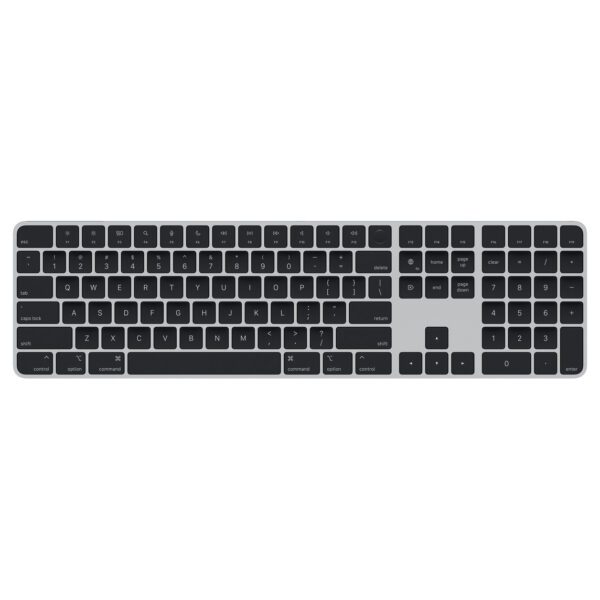
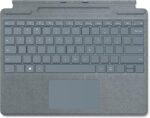
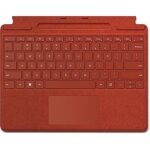
Microsoft Surface Pro 9/8/X Signature Keyboard simple
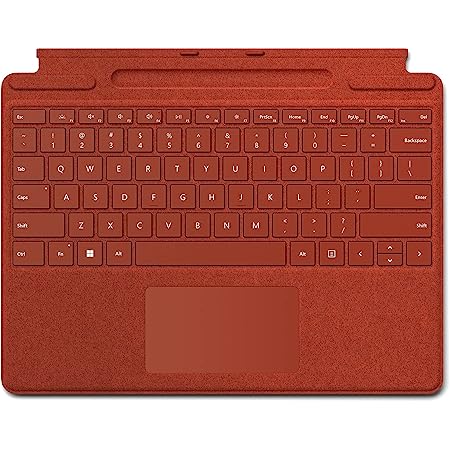
Microsoft Surface Pro Signature Keyboard, Backlit Keys and Large Trackpad, Durable and Smooth Alcantara Material
₨ 59,999
Contact on WhatsApp, for discount and more information.
Description

🎯 Why Choose the Microsoft Surface Pro Signature Keyboard?
A keyboard is much more than just a typing accessory. It determines how comfortable, productive, and efficient your work becomes.
Microsoft designed this Signature Keyboard to feel like a traditional premium laptop while maintaining the flexibility of a detachable tablet accessory.
Some of the biggest reasons users love this keyboard include:
- Comfortable typing experience
- Responsive backlit keys
- Premium Alcantara material
- Precision glass trackpad
- Lightweight construction
- Slim profile
- Built-in Slim Pen 2 charging tray
- Instant magnetic attachment
- Durable premium finish
- Perfect compatibility with Surface Pro devices
It combines portability with functionality, making it ideal for people constantly on the move.
💎 Elegant Premium Design
One of the first things you’ll notice is its elegant appearance.
Unlike plastic keyboards, the Signature Keyboard features luxurious Alcantara material, giving it a sophisticated look and soft texture.
The material feels warm to the touch while resisting everyday wear.
Microsoft designed it not only for aesthetics but also for long-lasting durability.
Its clean lines perfectly match the premium design language of the Surface Pro lineup.
Whether you’re using it in a boardroom, classroom, university, café, or home office, it looks professional everywhere.
🖥️ Turn Your Surface into a Laptop
The biggest advantage of the Surface Pro lineup is versatility.
The Signature Keyboard instantly transforms your tablet into a powerful laptop.
Simply attach the keyboard magnetically to the Surface Pro and adjust the built-in kickstand to your preferred viewing angle.
Within seconds, your tablet becomes a fully functional workstation.
No complicated pairing.
No charging cables.
No Bluetooth setup.
Everything works instantly.

⌨️ Exceptional Typing Experience
Typing comfort is where Microsoft truly excels.
The Surface Pro Signature Keyboard provides:
- Well-spaced keys
- Excellent key travel
- Responsive feedback
- Quiet typing
- Comfortable palm rest
- Balanced key resistance
The result is fast, accurate typing even during long work sessions.
Whether writing reports, emails, assignments, or coding projects, every keystroke feels natural.
Professional writers and students alike appreciate the consistency of the keyboard.
🌙 Backlit Keys for Day and Night Productivity
One of its standout features is the beautifully illuminated keyboard.
The adjustable backlit keys make typing effortless in:
- Dark rooms
- Airplanes
- Coffee shops
- Late-night study sessions
- Offices with dim lighting
The lighting automatically enhances visibility without becoming distracting.
This makes productivity possible regardless of lighting conditions.

🖱️ Large Precision Trackpad
The Signature Keyboard includes an oversized precision touchpad.
Rather than relying on an external mouse, users can enjoy accurate cursor control directly from the keyboard.
Benefits include:
- Smooth navigation
- Multi-touch gesture support
- Pinch-to-zoom
- Two-finger scrolling
- Three-finger gestures
- Fast application switching
- Precise clicking
The large surface area significantly improves workflow compared to compact touchpads.
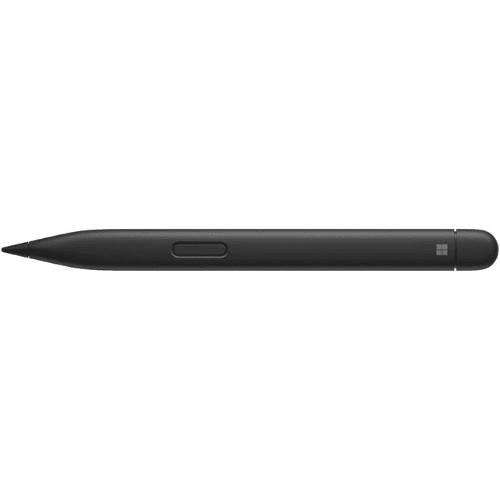
🖊️ Built-in Surface Slim Pen 2 Storage
A unique innovation of the Signature Keyboard is its integrated storage tray.
The Surface Slim Pen 2 (sold separately or included in selected bundles) fits securely inside the keyboard.
This clever design provides several benefits:
- Safe storage
- Easy portability
- Automatic charging
- Reduced risk of losing the pen
- Instant access whenever creativity strikes
For artists, architects, engineers, and students who frequently use digital ink, this feature adds tremendous convenience.
⚡ Automatic Charging for Surface Slim Pen 2
The built-in charging compartment keeps your Surface Slim Pen 2 powered whenever it’s docked.
You don’t have to remember charging cables or separate charging accessories.
Simply place the pen inside the keyboard tray.
The keyboard takes care of the rest.
This seamless integration keeps your workflow uninterrupted.
🔄 Instant Magnetic Attachment
Setting up the keyboard takes only seconds.
Strong magnetic connectors allow the keyboard to attach securely to compatible Surface devices.
There is:
- No pairing process
- No Bluetooth delays
- No batteries to replace
- No wireless interference
Simply click it into place and begin working immediately.
📐 Adjustable Viewing Angles
Everyone works differently.
Some prefer typing at a desk.
Others enjoy working on a couch or while traveling.
The Signature Keyboard supports virtually any working style by combining with the Surface Pro Kickstand.
You can easily adjust viewing angles for:
- Writing
- Watching videos
- Video conferencing
- Reading
- Drawing
- Presentations
This flexibility is one of the defining advantages of the Surface ecosystem.
🚀 Built for Productivity
Microsoft focused heavily on improving daily productivity.
Features work together to help users accomplish more in less time.
Examples include:
- Fast typing
- Comfortable wrist position
- Responsive touchpad
- Instant attachment
- Portable design
- Premium build quality
Professionals working in Microsoft Office applications, designers using Adobe software, developers writing code, and students preparing assignments all benefit from these productivity-focused improvements.
🎨 Luxurious Alcantara Material
One feature that separates this keyboard from competitors is the Alcantara covering.
Alcantara offers several advantages:
- Soft touch
- Premium appearance
- Comfortable feel
- Excellent grip
- Stylish finish
- Enhanced durability
Rather than cold plastic surfaces, users enjoy a warmer, more refined typing experience.
This premium material has become one of Microsoft’s signature design elements.
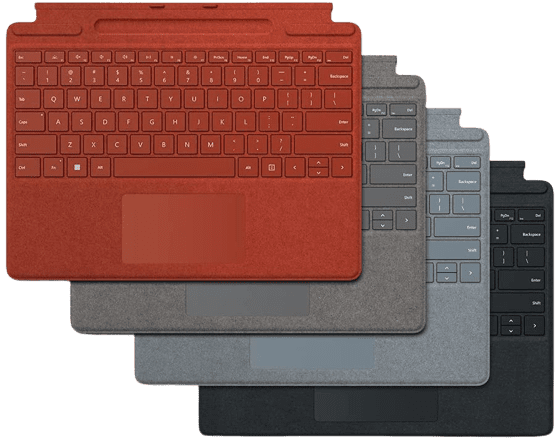
🌈 Available in Beautiful Colors
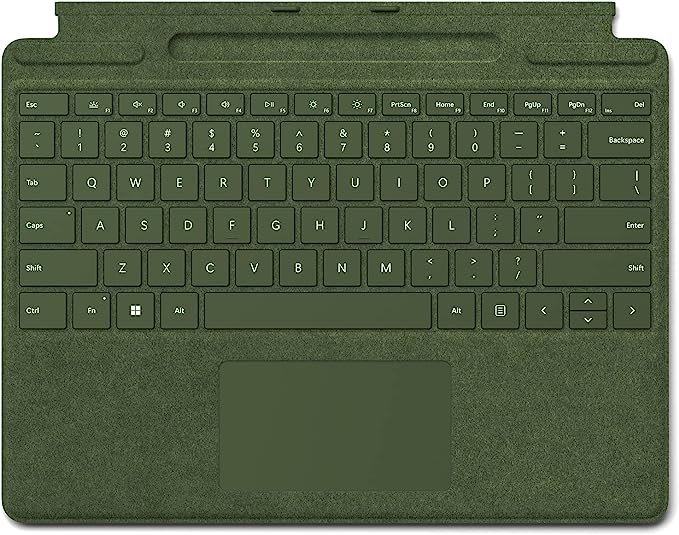
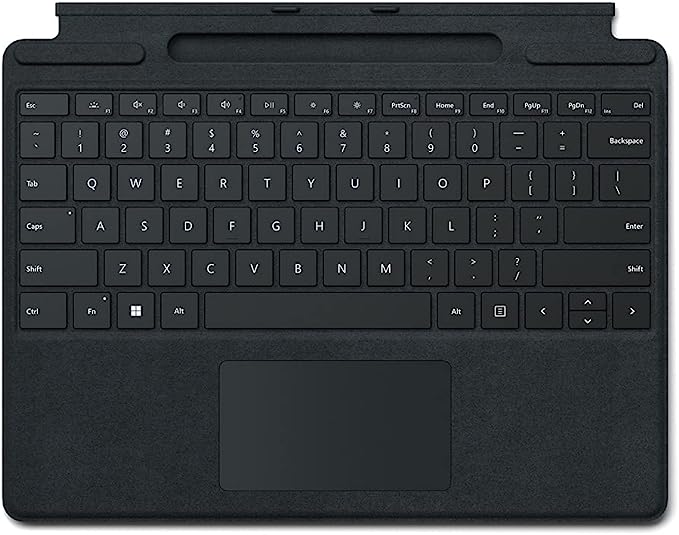
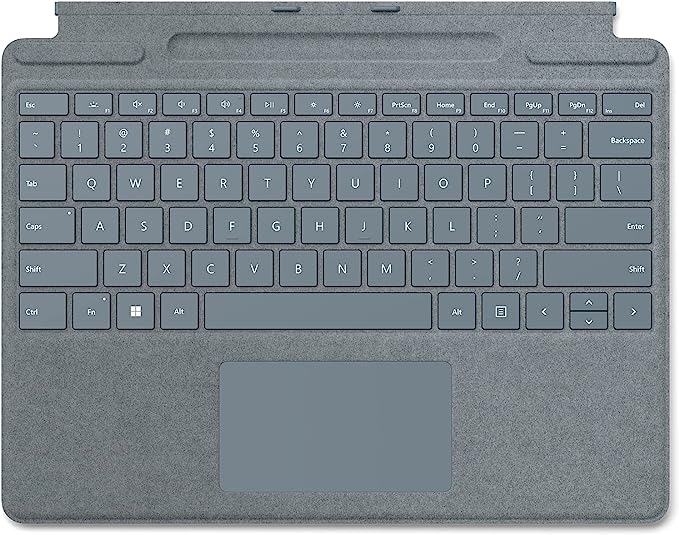
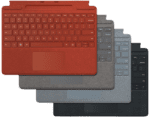
The Surface Pro Signature Keyboard is available in multiple premium color options depending on market availability.
Popular colors include:
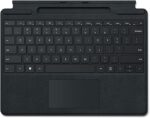
- Black
- Platinum
- Sapphire
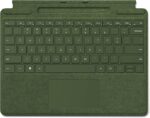
- Forest
- Poppy Red
These elegant colors allow users to personalize their Surface setup while maintaining a professional appearance.
Availability may vary depending on region.
💼 Perfect for Professionals
Business users demand reliability.
The Surface Pro Signature Keyboard delivers exactly that.
Ideal for:
- Corporate meetings
- Office productivity
- Presentations
- Remote work
- Hybrid workplaces
- Business travel
Its lightweight construction makes it easy to carry without adding unnecessary bulk.
🎓 Excellent Choice for Students
Students need portable devices that support learning anywhere.
Combined with a Surface Pro tablet, this keyboard becomes an excellent study companion.
Students can comfortably:
- Take lecture notes
- Complete assignments
- Join online classes
- Conduct research
- Prepare presentations
- Write reports
The backlit keyboard is especially useful during late-night study sessions.
🏡 Ideal for Home Office Users
Remote work has become increasingly common.
The Signature Keyboard helps create a comfortable home office setup without requiring a large desktop computer.
Its compact footprint saves desk space while still providing full keyboard functionality.
Working from home becomes more enjoyable thanks to responsive typing and a premium touchpad.
🌍 Designed for Users on the Move
Frequent travelers appreciate lightweight accessories.
The Surface Pro Signature Keyboard is extremely portable.
Whether you’re commuting, flying, or moving between meetings, it easily fits into backpacks and laptop bags without adding significant weight.
This portability makes it a perfect travel companion.
📊 Microsoft Surface Pro Signature Keyboard Specifications
| Feature | Details |
|---|---|
| Product Type | Detachable Keyboard |
| Compatibility | Surface Pro 9, Surface Pro 8, Surface Pro X |
| Keyboard Type | Signature Keyboard |
| Material | Premium Alcantara |
| Backlit Keys | Yes |
| Precision Trackpad | Yes |
| Surface Slim Pen 2 Storage | Yes |
| Surface Slim Pen Charging | Yes |
| Magnetic Attachment | Yes |
| Adjustable Typing Position | Yes |
| Color Options | Multiple Premium Colors |
| Connectivity | Magnetic Surface Connector |
| Build Quality | Premium Microsoft Design |
🔥 Key Features at a Glance
- Premium Microsoft Signature Keyboard
- Designed for Surface Pro devices
- Luxurious Alcantara finish
- Comfortable typing experience
- Responsive full-size keyboard
- Large precision touchpad
- Adjustable viewing angle
- Surface Slim Pen 2 charging support
- Magnetic attachment
- Lightweight construction
- Elegant design
- Backlit keys
- Excellent portability
- Premium build quality
- Professional appearance
💡 Why Buy from TypeShop.pk?
When purchasing premium Microsoft accessories, choosing a trusted retailer matters.
TypeShop.pk offers customers a reliable shopping experience with quality products and competitive pricing.
Customers can shop with confidence knowing they are investing in premium accessories that perfectly complement their Surface devices.
Whether upgrading an existing Surface Pro or purchasing accessories for a new device, the Microsoft Surface Pro Signature Keyboard remains one of the best investments for improving productivity, comfort, and portability.
🚀 Experience Laptop-Level Productivity Anywhere
One of the biggest advantages of the Microsoft Surface ecosystem is its ability to combine tablet portability with laptop functionality. The Microsoft Surface Pro Signature Keyboard is a key component in making that possible.
Whether you’re working from a café, attending university lectures, traveling for business, or working remotely from home, this keyboard enables a seamless workflow. Instead of carrying a bulky laptop, users can simply attach the keyboard to their compatible Surface Pro device and enjoy a full-featured typing experience.
Its lightweight construction ensures that portability is never sacrificed, while the premium design maintains the professional appearance expected from Microsoft’s flagship accessories.
💼 Built for Modern Professionals
Today’s professionals often switch between multiple tasks throughout the day. From video conferences and document editing to presentations and email management, productivity tools need to keep up.
The Microsoft Surface Pro Signature Keyboard is specifically engineered to support modern workflows by providing:
- Fast and accurate typing
- Comfortable long-term usage
- Instant setup
- Reliable connectivity
- Premium workspace aesthetics
- Efficient navigation through the precision trackpad
Whether you’re a consultant, financial analyst, architect, software developer, writer, or entrepreneur, this keyboard provides the confidence and comfort required for demanding workloads.
📚 Perfect Companion for Education
Education has evolved beyond traditional classrooms. Students now rely on digital devices for note-taking, research, assignments, and online learning.
The Surface Pro Signature Keyboard enhances the educational experience by allowing students to:
- Write essays faster
- Take organized lecture notes
- Participate in virtual classrooms
- Complete research projects
- Prepare PowerPoint presentations
- Collaborate with classmates online
- Access learning platforms comfortably
Its compact design also makes it easy to carry between classrooms, libraries, and study spaces.
🎨 An Excellent Tool for Creative Professionals
Creative work often requires switching between typing and drawing. The Signature Keyboard complements this workflow perfectly.
Graphic designers, illustrators, architects, engineers, photographers, and digital artists can quickly transition between:
- Sketching with Surface Slim Pen 2
- Editing images
- Managing design software
- Typing project notes
- Organizing creative assets
- Communicating with clients
The integrated Slim Pen storage tray ensures the pen is always nearby when inspiration strikes.
⚙️ Precision Engineering by Microsoft
Every detail of the Signature Keyboard reflects Microsoft’s commitment to premium engineering.
Instead of focusing only on appearance, Microsoft carefully optimized the keyboard for real-world usage.
Some engineering highlights include:
- Balanced key travel
- Quiet key operation
- Durable hinge connection
- Premium Alcantara wrapping
- Strong magnetic attachment
- Stable typing surface
- Responsive touchpad technology
These refinements contribute to an experience that feels polished from the very first use.
🛡️ Durable Construction for Daily Use
Daily productivity demands accessories that can withstand frequent use.
The Signature Keyboard is designed with durability in mind. Its premium construction resists everyday wear while maintaining its sophisticated appearance.
Whether opening and closing the keyboard multiple times per day or transporting it between locations, the build quality remains dependable.
With proper care, it can continue providing excellent performance for years.
🌟 Premium Alcantara – More Than Just a Stylish Material
Alcantara has become synonymous with Microsoft’s premium Surface lineup.
Unlike conventional fabric coverings, Alcantara is known for its:
- Soft texture
- Elegant appearance
- Comfortable palm support
- Improved grip
- Premium finish
- Long-lasting quality
The material helps create a workspace that feels luxurious without compromising functionality.
It also contributes to the Signature Keyboard’s unique identity compared to ordinary detachable keyboards.
🖥️ Optimized for Windows Productivity
The Microsoft Surface Pro Signature Keyboard integrates perfectly with Windows.
Users can instantly access familiar keyboard shortcuts for everyday tasks, including:
- Copy and paste
- Window management
- Task switching
- Search functionality
- Screenshot shortcuts
- Virtual desktops
- Accessibility controls
These shortcuts significantly improve efficiency, particularly for users who spend long hours working on documents or multitasking.
📱 Smooth Transition Between Tablet and Laptop Modes
Flexibility is one of the defining features of the Surface Pro lineup.
With the Signature Keyboard attached, users enjoy a complete laptop experience.
When detached, the Surface Pro instantly transforms into a lightweight tablet suitable for:
- Reading
- Watching videos
- Drawing
- Presentations
- Touchscreen navigation
- Digital note-taking
This adaptability allows one device to fulfill multiple roles throughout the day.
🎯 Ideal for Multitasking
Modern computing often involves working across several applications simultaneously.
The Signature Keyboard supports efficient multitasking through:
- Comfortable typing
- Precision cursor movement
- Gesture-based navigation
- Quick application switching
- Accurate scrolling
Whether managing spreadsheets while attending meetings or researching while writing reports, multitasking becomes smoother and more intuitive.
🌍 Travel-Friendly Design
Professionals and students frequently travel between locations.
The Microsoft Surface Pro Signature Keyboard is intentionally designed for mobility.
Benefits include:
- Slim profile
- Lightweight construction
- Easy attachment
- Minimal bag space
- Durable materials
- Quick setup anywhere
Instead of carrying separate accessories, users have everything needed within a compact package.
📹 Better Video Conference Experience
Video meetings have become an essential part of daily work.
Whether using Microsoft Teams, Zoom, Google Meet, or other conferencing platforms, the Signature Keyboard improves communication by making it easier to:
- Type meeting notes
- Respond in chat
- Share documents
- Control presentations
- Navigate applications
- Manage multiple windows
The responsive keyboard ensures professional communication during important meetings.
📝 Comfortable Long Writing Sessions
Writers, bloggers, journalists, and content creators often spend hours typing.
The Signature Keyboard is designed to reduce fatigue through:
- Comfortable key spacing
- Smooth key travel
- Stable typing surface
- Soft Alcantara palm rest
- Responsive feedback
Long writing sessions become significantly more enjoyable compared to using touchscreen keyboards.
📊 Compatible Surface Devices
The Microsoft Surface Pro Signature Keyboard is designed specifically for selected Surface Pro models.
| Surface Device | Compatibility |
|---|---|
| Microsoft Surface Pro 9 | ✔ Compatible |
| Microsoft Surface Pro 8 | ✔ Compatible |
| Microsoft Surface Pro X | ✔ Compatible |
Users should always verify compatibility before purchasing to ensure the best experience.
⚡ Instant Setup Without Bluetooth Pairing
Unlike wireless Bluetooth keyboards, the Signature Keyboard connects directly through Microsoft’s dedicated connector.
Advantages include:
- No pairing process
- No connection delays
- No wireless interference
- No separate batteries
- Stable communication
- Immediate responsiveness
Simply attach the keyboard, and it’s ready for use.
🔋 Efficient Power Integration
The keyboard draws power directly from the connected Surface device.
This eliminates the inconvenience of:
- Charging separate keyboard batteries
- Replacing disposable batteries
- Monitoring battery percentages
- Carrying charging cables
The simplified power design keeps your workspace clean and efficient.
🔄 Designed for Daily Flexibility
Throughout a normal day, users often move between different environments.
Morning:
- Home office
Afternoon:
- Classroom or workplace
Evening:
- Café or library
Night:
- Relaxing on the sofa
The Signature Keyboard adapts effortlessly to each scenario, providing a consistent experience wherever productivity is required.
💡 Why Professionals Prefer Microsoft’s Signature Keyboard
Many professionals choose Microsoft’s official keyboard over third-party alternatives because it offers:
- Guaranteed compatibility
- Premium materials
- Superior fit and finish
- Excellent typing quality
- Reliable magnetic attachment
- Surface Slim Pen integration
- Consistent Microsoft engineering
Official accessories are designed to complement Surface hardware both visually and functionally.
🏢 Ideal Industries
The Microsoft Surface Pro Signature Keyboard is suitable for professionals across numerous industries, including:
- Education
- Healthcare
- Finance
- Information Technology
- Graphic Design
- Architecture
- Engineering
- Legal Services
- Marketing
- Sales
- Journalism
- Real Estate
- Government
- Business Consulting
Its versatility makes it a valuable productivity tool regardless of profession.
📈 Improve Daily Workflow
Small improvements in workflow can save hours over time.
Using the Signature Keyboard helps users:
- Type faster
- Reduce input errors
- Navigate Windows efficiently
- Manage documents comfortably
- Switch applications quickly
- Complete work with greater confidence
These improvements contribute to a smoother computing experience throughout the day.
🎯 Reasons to Upgrade to the Signature Keyboard
If you’re currently relying on the touchscreen alone, upgrading to the Signature Keyboard unlocks significant benefits.
Reasons include:
- Faster document creation
- Better typing accuracy
- Improved comfort
- Laptop-style productivity
- Professional appearance
- Better multitasking
- Convenient Surface Slim Pen storage
- Enhanced portability
- Precision navigation
- Premium build quality
For many Surface users, the keyboard becomes an essential accessory rather than an optional add-on.
📦 What’s Included
The package typically includes:
- Microsoft Surface Pro Signature Keyboard
- User documentation
Note: Surface Slim Pen 2 and Surface Pro device are sold separately unless purchased as part of a specific bundle.
💰 Microsoft Surface Pro Signature Keyboard Price in Pakistan
If you’re looking for the Microsoft Surface Pro Signature Keyboard in Pakistan, TypeShop.pk offers a trusted destination for genuine Microsoft accessories.
Product Price:
₨ 59,999
Pricing may change over time based on availability, import costs, and promotional offers. Always check the latest price before placing your order.
🛒 Why Buy from TypeShop.pk?
Choosing the right retailer is just as important as choosing the right product.
TypeShop.pk is committed to offering premium technology accessories that meet the expectations of professionals, students, and everyday users.
Benefits of shopping from TypeShop.pk include:
- Genuine products
- Competitive pricing
- Trusted online shopping experience
- Premium customer service
- Secure ordering process
- Reliable product quality
When investing in premium Microsoft accessories, purchasing from a trusted retailer provides additional peace of mind.
⭐ Key Highlights
| Feature | Benefit |
| Premium Alcantara Material | Luxury feel and durability |
| Backlit Keyboard | Comfortable typing in low light |
| Precision Trackpad | Smooth and accurate navigation |
| Surface Slim Pen Storage | Secure pen storage and charging |
| Laptop-Like Typing | Improved productivity |
| Magnetic Attachment | Instant setup |
| Lightweight Design | Easy portability |
| Adjustable Position | Flexible viewing angles |
| Microsoft Engineering | Reliable performance |
| Surface Compatibility | Designed specifically for Surface Pro devices |
📌 Who Should Buy This Keyboard?
The Microsoft Surface Pro Signature Keyboard is an excellent investment for:
- Students
- Teachers
- Office professionals
- Business executives
- Content creators
- Graphic designers
- Architects
- Software developers
- Freelancers
- Writers
- Digital artists
- Travelers
- Remote workers
- Corporate users
- Anyone using a compatible Microsoft Surface Pro device
It combines elegance, comfort, portability, and productivity into one premium accessory, making it one of the best keyboard options available for the Surface Pro lineup.
🔍 Microsoft Surface Pro Signature Keyboard vs Standard Bluetooth Keyboards
Many users wonder whether investing in Microsoft’s official Signature Keyboard is worth it compared to purchasing a generic Bluetooth keyboard. While third-party keyboards may offer basic typing functionality, the Signature Keyboard provides a level of integration that generic accessories simply cannot match.
One of the most noticeable differences is the instant magnetic connection. Instead of pairing through Bluetooth and worrying about connection interruptions or battery life, the Signature Keyboard connects immediately when attached to a compatible Surface Pro device.
Another major advantage is the integrated Surface Slim Pen 2 storage and charging compartment. Generic keyboards do not offer this convenience, meaning users must carry the stylus separately.
The premium Alcantara finish, precision trackpad, and optimized Windows gestures also contribute to a more refined and productive user experience.
⚖️ Official Keyboard vs Third-Party Alternatives
Before purchasing a keyboard for your Surface Pro, it’s important to understand the advantages of choosing an official Microsoft accessory.
| Feature | Microsoft Signature Keyboard | Generic Keyboard |
|---|---|---|
| Designed for Surface Pro | Yes | Usually No |
| Magnetic Connection | Yes | No |
| Built-in Pen Storage | Yes | No |
| Slim Pen 2 Charging | Yes | No |
| Precision Trackpad | Yes | Limited or None |
| Premium Alcantara Finish | Yes | Rare |
| Perfect Device Fit | Yes | Varies |
| Instant Connectivity | Yes | Bluetooth Pairing Required |
| Laptop Experience | Excellent | Moderate |
Although third-party options may be less expensive, they typically lack the seamless integration and premium experience that Microsoft delivers.
🎯 Everyday Scenarios Where the Signature Keyboard Excels
The Microsoft Surface Pro Signature Keyboard adapts effortlessly to different lifestyles.
Office Productivity
Professionals can comfortably prepare reports, analyze spreadsheets, answer emails, and participate in virtual meetings throughout the day.
University Studies
Students can take lecture notes, complete assignments, conduct online research, and prepare presentations with ease.
Remote Work
Hybrid employees can quickly transform their Surface Pro into a productive workstation from virtually anywhere.
Travel
Frequent travelers benefit from the keyboard’s lightweight design, making it easy to work during flights, train journeys, or hotel stays.
Entertainment
Even during leisure time, the keyboard makes browsing the web, chatting with friends, and managing media libraries much more convenient.
🧳 A Perfect Travel Companion
Business travelers appreciate technology that is both lightweight and reliable.
Instead of carrying a full-size laptop, users can travel with a Surface Pro and Signature Keyboard, significantly reducing the overall weight of their bag.
The keyboard’s slim profile also allows it to fit easily into backpacks, messenger bags, and laptop sleeves without occupying excessive space.
Whether attending conferences or working while traveling, portability remains one of its strongest advantages.
🖥️ Enhance Your Hybrid Work Setup
Modern workplaces continue to embrace hybrid work models.
The Signature Keyboard helps bridge the gap between office and home by providing a consistent typing experience regardless of location.
Users can easily move between:
- Home office
- Corporate office
- Shared workspaces
- Client locations
- Libraries
- Cafés
Without sacrificing productivity or comfort.
📈 Improve Typing Speed and Accuracy
Comfortable keyboards naturally encourage better typing habits.
Thanks to responsive keys, balanced spacing, and excellent feedback, many users find it easier to type accurately during extended work sessions.
Reduced typing errors can help save valuable time when preparing important documents or responding to emails.
Combined with Windows keyboard shortcuts, the Signature Keyboard contributes to a smoother workflow throughout the day.
🌙 Comfortable Day and Night Usage
Because of its illuminated keys, the Signature Keyboard remains practical regardless of ambient lighting conditions.
Whether you’re working early in the morning before sunrise or completing projects late at night, the adjustable backlighting improves visibility without being distracting.
This makes it especially useful for:
- Students studying after dark
- Professionals working overtime
- Travelers during overnight flights
- Users in dim meeting rooms
🧹 Tips to Keep Your Signature Keyboard Looking New
Like any premium accessory, proper care helps maintain both appearance and performance.
Here are a few simple maintenance practices:
- Wipe the keyboard regularly with a soft, lint-free cloth.
- Avoid eating directly over the keyboard to reduce crumbs and debris.
- Keep liquids away from the keyboard.
- Store the keyboard in a protective sleeve when traveling.
- Clean the trackpad gently using a microfiber cloth.
- Avoid harsh chemical cleaners that could affect the Alcantara material.
- Disconnect the keyboard before cleaning if necessary.
Regular maintenance helps preserve the premium finish and ensures a pleasant typing experience over time.
🛡️ Protecting the Alcantara Surface
Alcantara is known for its premium feel, but it also benefits from gentle care.
To maintain its appearance:
- Clean minor dust using a dry microfiber cloth.
- Remove light marks with a slightly damp cloth.
- Allow the material to dry naturally.
- Avoid prolonged exposure to direct sunlight.
- Keep sharp objects away from the fabric surface.
Following these simple practices can help keep the keyboard looking elegant for years.
⚡ Make the Most of Windows Shortcuts
Pairing the Signature Keyboard with Windows shortcuts can significantly improve efficiency.
Some commonly used shortcuts include:
| Shortcut | Function |
| Ctrl + C | Copy |
| Ctrl + V | Paste |
| Ctrl + X | Cut |
| Ctrl + Z | Undo |
| Ctrl + A | Select All |
| Alt + Tab | Switch Between Apps |
| Windows + D | Show Desktop |
| Windows + L | Lock Device |
| Windows + E | Open File Explorer |
| Windows + Shift + S | Capture Screenshot |
Learning these shortcuts can save considerable time during everyday tasks.
🌐 Seamless Integration with Microsoft Ecosystem
The Signature Keyboard complements Microsoft’s broader ecosystem of hardware and software.
When paired with compatible Surface devices, users enjoy a cohesive experience across productivity tools such as Microsoft 365 applications, Windows features, and Surface accessories.
The consistent design language and optimized functionality help create a polished workspace suitable for both professional and personal use.
💡 Buying Guide: Is This Keyboard Right for You?
Before purchasing, consider the following questions:
- Do you own a Surface Pro 9, Surface Pro 8, or Surface Pro X?
- Do you frequently type long documents?
- Do you prefer a laptop-like experience?
- Do you use Surface Slim Pen 2?
- Do you travel often?
- Do you value premium build quality?
- Do you want an official Microsoft accessory?
If the answer to most of these questions is yes, the Microsoft Surface Pro Signature Keyboard is an excellent choice.
📋 Things to Check Before Purchasing
To ensure compatibility, verify:
- Your exact Surface Pro model.
- Desired keyboard color availability.
- Whether the Surface Slim Pen 2 is included or sold separately.
- Your preferred regional keyboard layout.
- Current pricing and stock availability.
Taking these steps helps ensure you purchase the version that best suits your needs.
📦 Why Genuine Microsoft Accessories Matter
Official accessories are designed to meet Microsoft’s quality standards.
Choosing a genuine Signature Keyboard offers benefits such as:
- Reliable compatibility
- Premium materials
- Accurate fit
- Long-term durability
- Consistent typing quality
- Better overall user experience
For users who rely on their Surface Pro every day, investing in an official accessory can provide greater confidence and peace of mind.
🌟 Top Reasons Customers Love the Surface Pro Signature Keyboard
Users around the world appreciate this keyboard for many reasons, including:
- Elegant premium appearance
- Comfortable typing feel
- High-quality Alcantara material
- Large precision trackpad
- Integrated Slim Pen storage
- Laptop-like functionality
- Lightweight portability
- Excellent compatibility
- Reliable Microsoft engineering
- Professional design
These qualities make it one of the most popular accessories in the Surface ecosystem.
🎁 A Premium Gift for Surface Users
If you’re looking for a thoughtful gift for someone who already owns a compatible Surface Pro device, the Signature Keyboard is a practical and premium choice.
It enhances the functionality of the device while maintaining Microsoft’s signature design aesthetic, making it suitable for students, professionals, and creative users alike.
❓ Frequently asked Questions
1. Is the Microsoft Surface Pro Signature Keyboard compatible with Surface Pro 9?
Yes, it is fully compatible with Microsoft Surface Pro 9.
2. Does this keyboard work with Surface Pro 8?
Yes, it is specifically designed for Surface Pro 8.
3. Is it compatible with Surface Pro X?
Yes, it supports Microsoft Surface Pro X.
4. Does the keyboard have backlit keys?
Yes, it features adjustable backlit keys.
5. Is the Surface Slim Pen 2 included?
No, the Surface Slim Pen 2 is usually sold separately unless part of a bundle.
6. Can the keyboard charge the Surface Slim Pen 2?
Yes, it charges the pen while stored in the built-in tray.
7. Does it require Bluetooth?
No, it connects directly through the Surface magnetic connector.
8. Does the keyboard need charging?
No, it draws power from the connected Surface device.
9. Is the trackpad included?
Yes, it comes with a large precision trackpad.
10. Does the trackpad support multi-touch gestures?
Yes, it supports Windows precision multi-touch gestures.
11. Is the keyboard lightweight?
Yes, it is designed to be slim and lightweight.
12. Can I use it while traveling?
Yes, its portable design makes it ideal for travel.
13. Is Alcantara durable?
Yes, Alcantara is known for its durability and premium feel.
14. Can I clean the Alcantara material?
Yes, use a soft microfiber cloth for gentle cleaning.
15. Is it suitable for office work?
Yes, it’s excellent for professional office tasks.
16. Is this keyboard good for students?
Yes, students can use it for note-taking, assignments, and online learning.
17. Can writers use this keyboard comfortably?
Yes, it provides a comfortable typing experience for long writing sessions.
18. Is the keyboard detachable?
Yes, it easily attaches and detaches magnetically.
19. Can I fold the keyboard?
Yes, it folds neatly against the Surface Pro.
20. Does it provide a laptop-like experience?
Yes, it transforms the Surface Pro into a laptop-style device.
21. Is it an official Microsoft accessory?
Yes, it is an official Microsoft product.
22. Does it support Windows shortcuts?
Yes, all standard Windows keyboard shortcuts are supported.
23. Is the typing experience quiet?
Yes, the keys are designed for quiet and comfortable typing.
24. Can I use it for business meetings?
Yes, it’s perfect for meetings and presentations.
25. Does it improve productivity?
Yes, it helps users work more efficiently.
26. Is the keyboard comfortable for daily use?
Yes, it is designed for everyday productivity.
27. Does it fit securely?
Yes, the magnetic connection keeps it firmly attached.
28. Is the keyboard portable?
Yes, it is easy to carry in a backpack or laptop bag.
29. Does it include function keys?
Yes, it includes a complete function row.
30. Is it suitable for remote work?
Yes, it is ideal for working from home or anywhere.
31. Can designers use this keyboard?
Yes, designers benefit from its integration with Surface devices.
32. Is it useful for content creators?
Yes, it is excellent for blogging, editing, and productivity.
33. Does the keyboard feel premium?
Yes, it offers a premium look and feel.
34. Can I browse comfortably using the trackpad?
Yes, the precision trackpad provides smooth navigation.
35. Is it suitable for web browsing?
Yes, browsing is fast and comfortable.
36. Can I use it for Microsoft Office applications?
Yes, it works perfectly with Microsoft Office.
37. Does it support Excel and Word?
Yes, it is excellent for both applications.
38. Is it good for email writing?
Yes, it offers a fast and comfortable typing experience.
39. Does it protect the Surface screen when closed?
Yes, it also functions as a protective cover when folded.
40. Can I use it on my lap?
Yes, when paired with the Surface kickstand, it can be used comfortably on your lap.
41. Does it improve note-taking?
Yes, it makes typing notes much faster than using the touchscreen.
42. Is it suitable for online classes?
Yes, it is ideal for virtual learning.
43. Does it support Windows 11?
Yes, it is fully compatible with Windows 11 on supported Surface devices.
44. Can professionals rely on it daily?
Yes, it is built for everyday professional use.
45. Is it a premium keyboard?
Yes, it is one of Microsoft’s premium Surface accessories.
46. Can it replace a laptop keyboard?
Yes, it offers a comparable typing experience for compatible Surface Pro devices.
47. Is the keyboard responsive?
Yes, the keys provide quick and accurate response.
48. Is it worth buying for Surface users?
Yes, it significantly enhances the overall Surface experience.
49. Where can I buy the Microsoft Surface Pro Signature Keyboard in Pakistan?
You can purchase it from TypeShop.pk.
50. Why should I choose the Microsoft Surface Pro Signature Keyboard?
Because it combines premium design, comfortable typing, a precision trackpad, backlit keys, Surface Slim Pen 2 support, and seamless compatibility with Surface Pro 9, Surface Pro 8, and Surface Pro X.
❓ Frequently asked Questions (Continued)
51. Does this keyboard require any software installation?
No, it works instantly when connected to a compatible Surface Pro device.
52. Can I use it for programming?
Yes, it is comfortable for coding and software development.
53. Is the keyboard suitable for long typing sessions?
Yes, it is designed for extended typing comfort.
54. Does it support gesture navigation?
Yes, the precision trackpad supports Windows gesture controls.
55. Can I use it in low-light environments?
Yes, the adjustable backlit keys make typing easy in dim lighting.
56. Does it connect wirelessly?
No, it connects through the dedicated magnetic Surface connector.
57. Is there any typing delay?
No, the wired magnetic connection provides fast and responsive input.
58. Can I easily remove the keyboard?
Yes, it detaches quickly whenever you want to use your Surface Pro as a tablet.
59. Does it make the Surface Pro heavier?
It adds only minimal weight while greatly improving productivity.
60. Is it easy to carry every day?
Yes, its slim and lightweight design makes daily transport effortless.
61. Can business users benefit from this keyboard?
Yes, it is an excellent choice for business professionals.
62. Is it useful for freelancers?
Yes, freelancers can comfortably work from virtually anywhere.
63. Can teachers use this keyboard?
Yes, it is ideal for lesson planning, presentations, and online teaching.
64. Is it suitable for online meetings?
Yes, it helps users participate efficiently in video conferences.
65. Can I type reports comfortably?
Yes, the keyboard is designed for productive document creation.
66. Is the trackpad accurate?
Yes, the precision trackpad offers smooth and accurate cursor control.
67. Does it support scrolling gestures?
Yes, it supports smooth two-finger scrolling.
68. Can I zoom using the trackpad?
Yes, pinch-to-zoom gestures are supported.
69. Is it good for spreadsheet work?
Yes, it works exceptionally well with spreadsheets and data entry.
70. Can I use it for presentations?
Yes, it is excellent for creating and delivering presentations.
71. Is it comfortable for daily office work?
Yes, it is built for all-day productivity.
72. Can I use it for document editing?
Yes, it is ideal for editing documents and reports.
73. Does it improve workflow?
Yes, its premium design and responsive controls help improve efficiency.
74. Can the keyboard be folded behind the Surface Pro?
It is primarily designed for use attached to the front and folded closed for protection.
75. Does it offer reliable connectivity?
Yes, the magnetic connector provides a stable and dependable connection.
76. Is it suitable for home offices?
Yes, it is an excellent addition to any home office setup.
77. Can I use it while commuting?
Yes, its portability makes it suitable for work on the go.
78. Does it have a premium finish?
Yes, the Alcantara material provides a luxurious finish.
79. Is the palm rest comfortable?
Yes, the soft Alcantara surface offers comfortable palm support.
80. Can I quickly switch between laptop and tablet modes?
Yes, attaching or removing the keyboard takes only a few seconds.
81. Is it designed specifically for Surface devices?
Yes, it is engineered exclusively for compatible Microsoft Surface Pro models.
82. Does it match the Surface Pro design?
Yes, it complements the premium aesthetics of Surface devices.
83. Is the keyboard suitable for everyday use?
Yes, it is designed for regular daily productivity.
84. Can I use it for online research?
Yes, it provides a comfortable browsing and research experience.
85. Does it support accurate cursor movement?
Yes, the precision trackpad enables precise cursor control.
86. Is it ideal for multitasking?
Yes, Windows gestures and keyboard shortcuts make multitasking easier.
87. Can I work without an external mouse?
Yes, the large precision trackpad eliminates the need for a separate mouse in most situations.
88. Does Microsoft manufacture this keyboard?
Yes, it is an official Microsoft accessory.
89. Is this keyboard built for productivity?
Yes, productivity is one of its primary design goals.
90. Is it suitable for creative professionals?
Yes, it complements creative workflows, especially when paired with Surface Slim Pen 2.
91. Does it look professional?
Yes, its elegant design is suitable for both business and personal use.
92. Is it easy to store in a laptop bag?
Yes, its slim profile fits easily into most laptop bags and backpacks.
93. Does it help maximize the Surface Pro experience?
Yes, it unlocks the full laptop-like potential of compatible Surface Pro devices.
94. Can it be used for everyday browsing and entertainment?
Yes, it is suitable for both productivity and casual use.
95. Is it a worthwhile investment for Surface Pro owners?
Yes, many users consider it an essential accessory for their Surface Pro.
96. Does it provide excellent typing accuracy?
Yes, the responsive keys help improve typing precision.
97. Is it available in multiple colors?
Yes, selected markets offer multiple premium color options.
98. Why is the Surface Slim Pen storage useful?
It keeps the pen secure, accessible, and charged when compatible.
99. Who should Buy Microsoft Surface Pro 8 X Signature keyboard?
Students, professionals, creatives, remote workers, business users, and anyone with a compatible Surface Pro device.
100. What makes the Microsoft Surface Pro Signature Keyboard stand out?
Its premium Alcantara material, responsive backlit keyboard, precision trackpad, integrated Surface Slim Pen 2 storage and charging, seamless compatibility, and exceptional laptop-like experience make it one of the best keyboard accessories for the Microsoft Surface Pro lineup.
✅ Final Verdict
The Microsoft Surface Pro 9/8/X Signature Keyboard is a premium accessory that transforms compatible Surface Pro devices into powerful laptop-style workstations. With its luxurious Alcantara finish, responsive backlit keys, spacious precision trackpad, and built-in storage and charging support for the Surface Slim Pen 2, it delivers an outstanding combination of comfort, functionality, and elegance.
Whether you’re a student, business professional, remote worker, content creator, or creative designer, this keyboard enhances productivity while maintaining the portability that makes the Surface Pro series so popular. Its seamless magnetic connection, durable construction, and official Microsoft engineering ensure a reliable experience for everyday use.
If you’re looking for a genuine Microsoft Surface Pro Signature Keyboard in Pakistan, TypeShop.pk offers a trusted destination to purchase this premium accessory and elevate your Surface Pro experience with confidence.
Microsoft Surface Pro 9/8/X Signature Keyboard
Thanks For Visiting Typeshop.pk
Customer Reviews
Related Products
Best Microsoft Surface Laptop 5 Price in Pakistan 8GB 256GB – Core i5 – 1235U – 12 Generation in 2024

LWKJOY Microsoft Surface Pro 10/9 case, 13 Inch Case for Surface Pro 10 2024/9 Release Tablet, Compatible with Surface Pro 10/9 5g Keyboard,MIcrosoft 13″ Surface Pro 10/9 Accessories Case.





Reviews
Clear filtersThere are no reviews yet.