








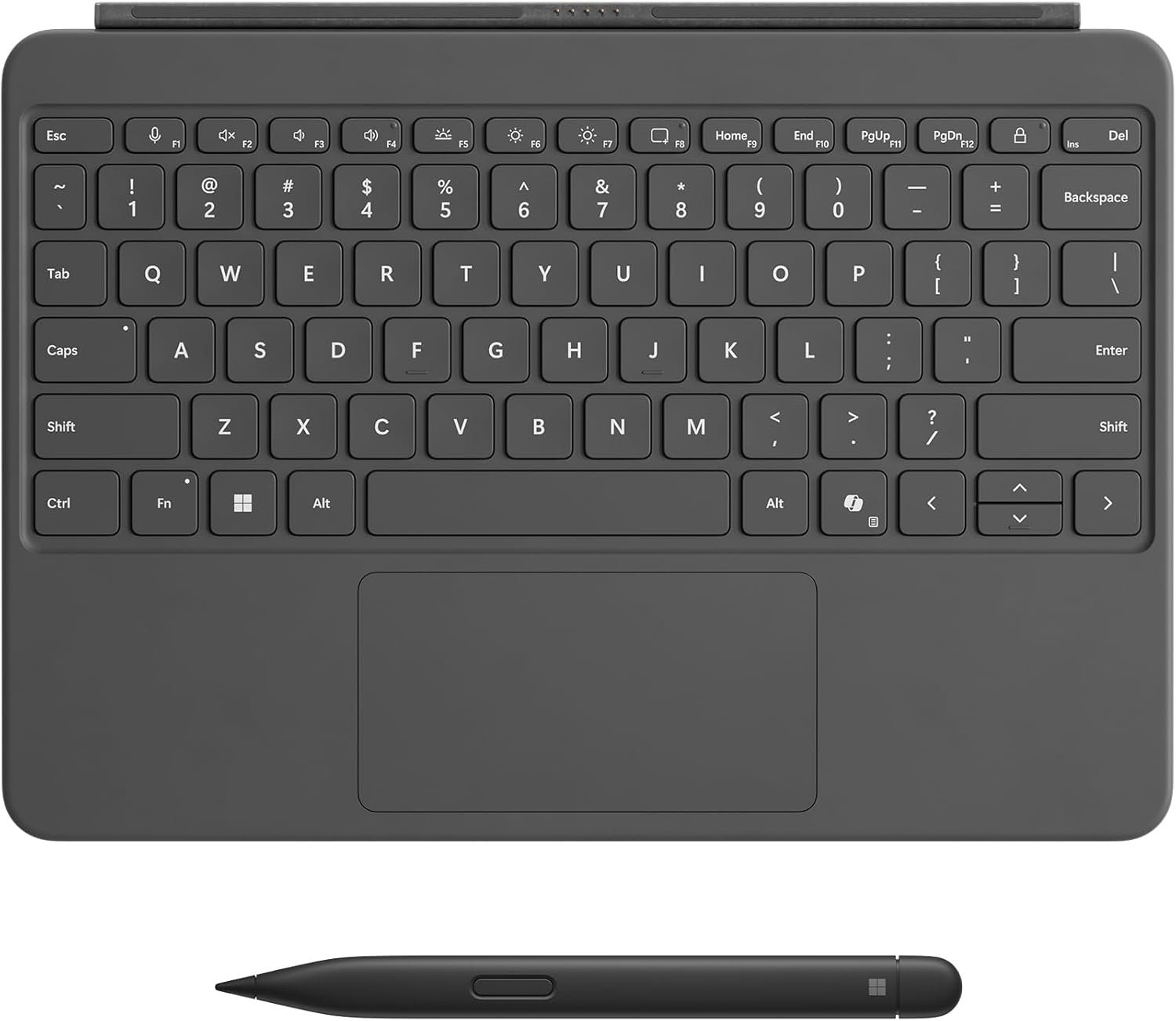
Microsoft Surface Pro Keyboard and Slim Pen 2 Bundle for Surface Pro 12″ Device, Alcantara Material, Slate
₨ 99,999
Contact on WhatsApp, for discount and more information.
Description
⌨️Microsoft Surface Pro Keyboard 12 price in Pakistan – Premium Productivity Redefined
The modern 2-in-1 computing experience is no longer just about portability. Today’s professionals, students, creators, and hybrid workers need accessories that transform a tablet into a complete productivity machine without sacrificing flexibility, aesthetics, or comfort. That is exactly where the Microsoft Surface Pro Keyboard and Slim Pen 2 Bundle for Surface Pro 12″ Device stands out.
Designed specifically for the latest Surface Pro ecosystem, this premium bundle combines a luxurious Alcantara-covered keyboard with Microsoft’s advanced Slim Pen 2 to deliver a seamless typing, writing, sketching, and navigation experience. Whether you’re editing documents, taking handwritten notes, attending online meetings, designing artwork, or multitasking during travel, this bundle elevates the Surface Pro from a tablet into a true laptop-class workstation.
At Typeshop.pk, this premium Microsoft accessory bundle is available for ₨ 99,999, offering Pakistani users a trusted source for original Surface accessories without the uncertainty often associated with unofficial marketplace sellers or inconsistent imported stock.
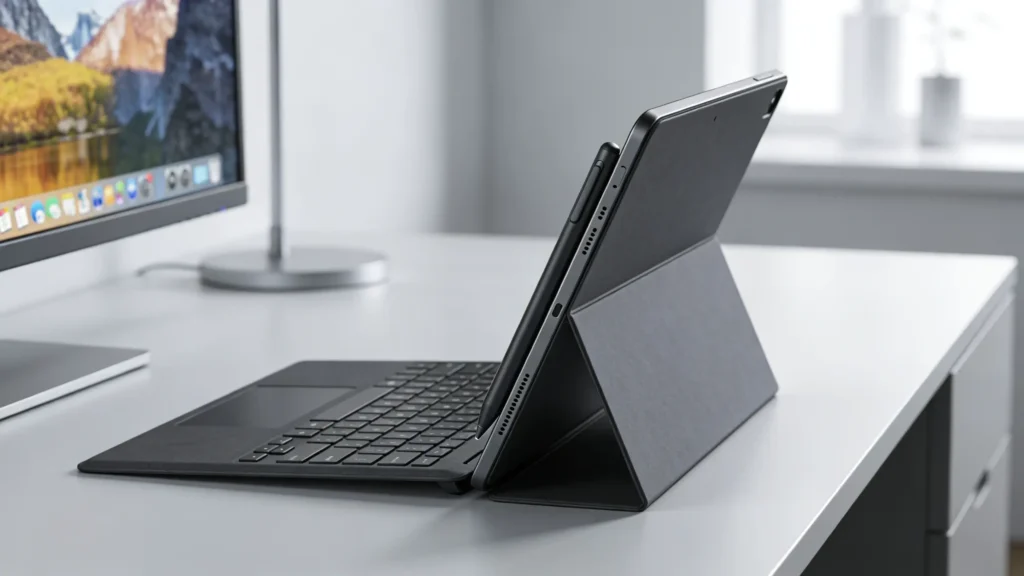
Why the Surface Pro Keyboard and Slim Pen 2 Bundle Matters
Microsoft’s Surface lineup has always focused on blending tablet flexibility with laptop performance. However, the real transformation happens when the correct accessories are attached.
The Surface Pro Keyboard and Slim Pen 2 Bundle is not simply an add-on accessory package. It is an integrated productivity system built to unlock the full potential of the Surface Pro 12″ device.
Unlike ordinary Bluetooth keyboards or generic stylus pens, this bundle is engineered specifically for the Surface ecosystem. That means:
- Instant magnetic attachment
- Perfect alignment and balance
- Native Windows integration
- Advanced pen responsiveness
- Optimized keyboard travel
- Dedicated productivity shortcuts
- Seamless transition between typing and tablet modes
For users who spend long hours working, studying, drawing, writing, or presenting, these refinements make a major real-world difference.
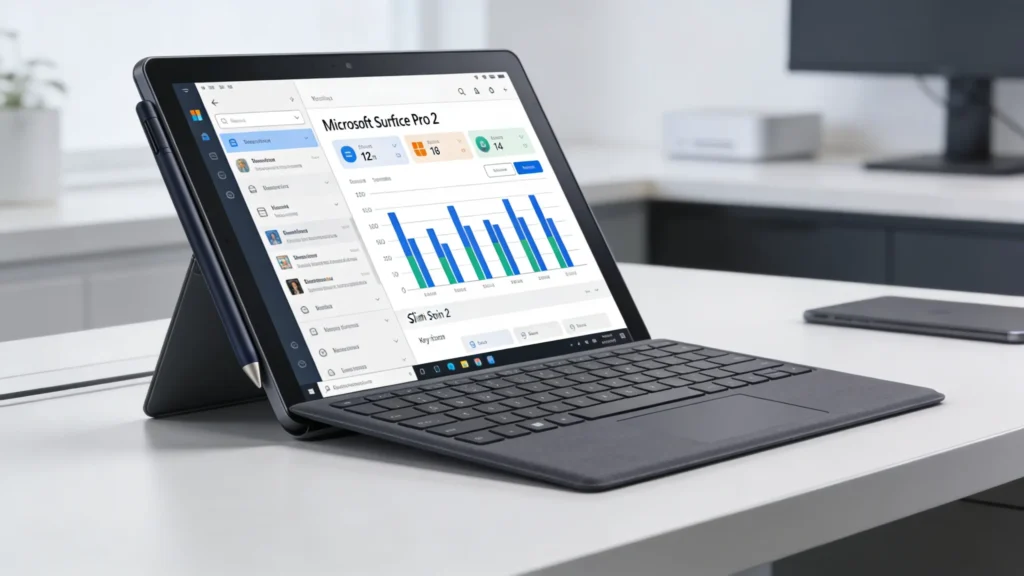
Premium Design with Alcantara Material
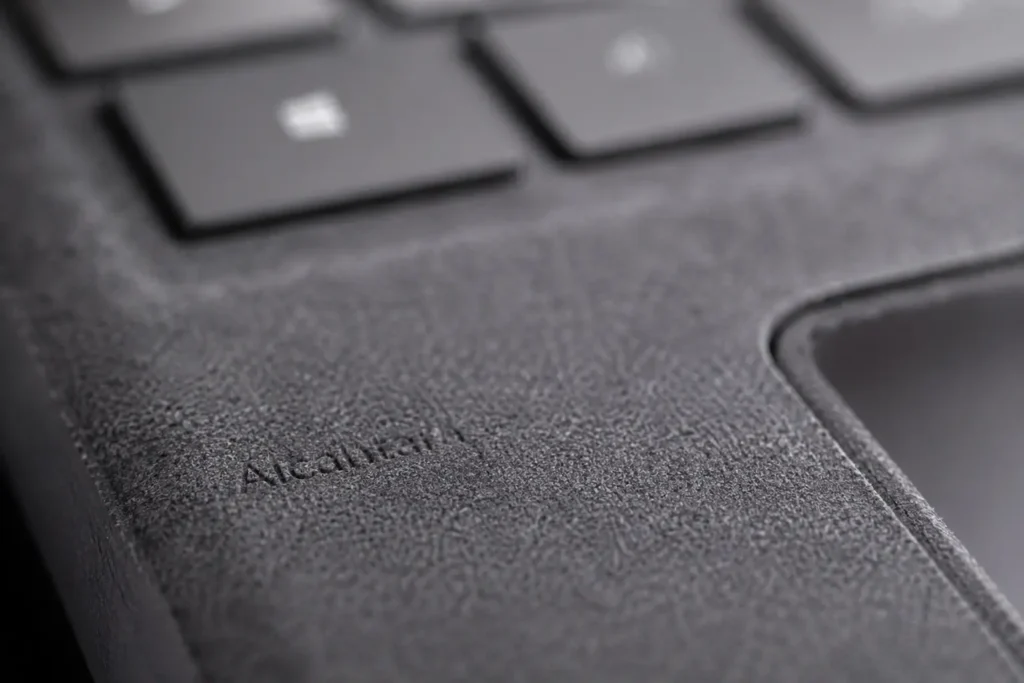
One of the most recognizable aspects of Microsoft Surface accessories is the use of Alcantara material. Microsoft has continued this premium design language in the Surface Pro Keyboard bundle, giving the accessory a refined and professional appearance.
What is Alcantara?
Alcantara is a high-end synthetic suede-like material known for:
- Soft-touch texture
- Premium feel
- Excellent durability
- Resistance to wear
- Better grip compared to plain plastic
- Comfortable long-term use
Unlike standard plastic keyboards that can feel cold or industrial, the Alcantara-covered Surface keyboard provides a warmer and more luxurious typing environment.
For professionals carrying their Surface devices into offices, meetings, universities, or creative studios, this premium finish contributes to a cleaner and more sophisticated setup.
Built Specifically for Surface Pro 12″
One of the biggest advantages of this bundle is its dedicated compatibility with the Surface Pro 12″ device.
Instead of functioning as a generic accessory, the keyboard is designed around the exact dimensions, connection points, hinge structure, and interaction model of the Surface Pro 12″.
This ensures:
| Feature | Benefit |
|---|---|
| Precision magnetic attachment | Secure and instant connection |
| Exact screen alignment | Better stability while typing |
| Optimized hinge angles | Comfortable viewing positions |
| Native shortcut support | Faster workflow |
| Balanced weight distribution | Better lap usability |
| Tablet mode flexibility | Easy transitions between work modes |
Many third-party alternatives struggle to achieve this level of integration.
Transforming the Surface Pro into a Real Laptop
One of the strongest selling points of this bundle is how effectively it converts the Surface Pro into a complete laptop replacement.
Without a keyboard, a tablet can feel limiting for:
- Long writing sessions
- Spreadsheet work
- Email management
- Coding
- Research
- Office productivity
- Multitasking
The Surface Pro Keyboard changes that instantly.
Full Laptop-Like Typing Experience
Microsoft designed this keyboard to feel closer to a traditional premium ultrabook keyboard rather than a thin detachable accessory.
Key advantages include:
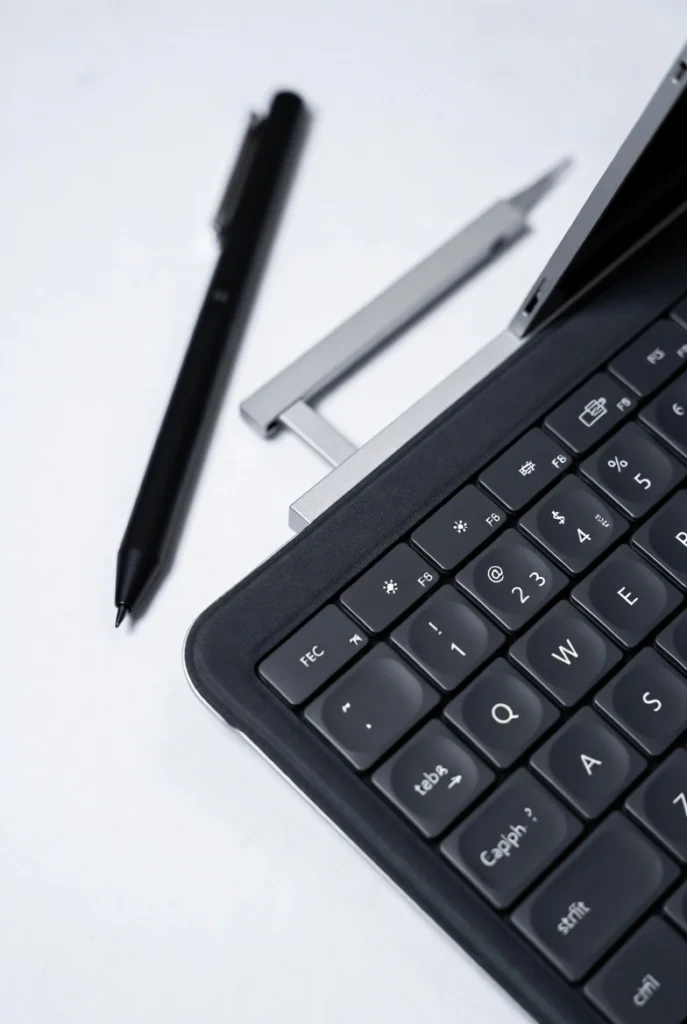
- Responsive mechanical-style keys
- Comfortable spacing
- Smooth typing feedback
- Minimal flex during use
- Full QWERTY layout
- Function key row
- Precision touchpad
- Dedicated shortcut buttons
The result is a setup capable of handling professional workloads comfortably.
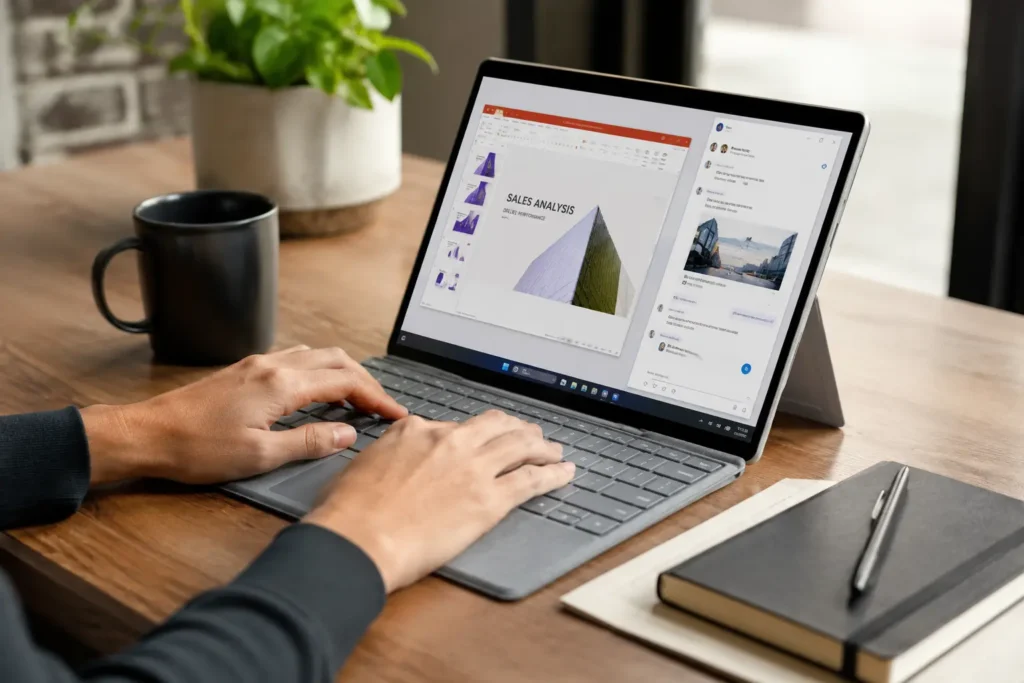
Flexible 360° Dynamic Hinge
The hinge mechanism is one of the most underrated features of the Surface keyboard ecosystem.
Microsoft uses a flexible hinge structure that allows multiple usage modes including:
Laptop Mode
Ideal for:
- Office work
- Typing
- Browsing
- Video calls
- Productivity tasks
Studio Mode
Useful for:
- Digital sketching
- Annotation
- Design work
- Handwriting
Tablet Mode
Perfect for:
- Entertainment
- Reading
- Touch interaction
- Casual use
The flexibility of switching between these modes without disconnecting accessories makes the Surface ecosystem uniquely versatile.
Stable and Balanced Structure
Many detachable keyboards suffer from instability when used on the lap or during travel. Microsoft addresses this issue through an internal web-style support structure that improves overall rigidity and balance.
This design enhancement helps the keyboard remain more stable while:
- Typing on your lap
- Working during travel
- Using small desks
- Working in classrooms
- Sitting on couches or recliners
For mobile professionals and students, this improvement significantly enhances day-to-day usability.
Large Precision Touchpad
A high-quality touchpad is critical for a premium productivity experience.
The Surface Pro Keyboard includes a spacious precision touchpad that supports smooth and accurate navigation.
Benefits of the Precision Touchpad
- Multi-touch gesture support
- Smooth scrolling
- Accurate cursor control
- Better palm rejection
- Faster workflow
- Native Windows precision drivers
This becomes especially valuable when:
- Traveling without a mouse
- Working remotely
- Editing documents
- Browsing large spreadsheets
- Managing multiple applications
Unlike cheaper alternatives with stiff or inaccurate trackpads, Microsoft’s implementation feels refined and responsive.
Backlit Keyboard for Night Productivity
The keyboard also features adjustable backlit keys, allowing users to work comfortably in darker environments.
This is particularly useful for:
- Students studying late at night
- Travelers on flights
- Remote workers
- Office environments with dim lighting
- Presentations and conferences
The illumination improves visibility without becoming distracting.
For users who spend significant time typing after sunset, backlighting is not just a luxury — it becomes a practical productivity feature.
Dedicated Productivity Shortcut Keys
Microsoft has integrated several modern shortcut keys directly into the keyboard layout.
These include quick access to:
- Copilot AI features
- Snipping Tool
- Microphone mute
- Lock screen
- Media controls
- Brightness adjustments
- Windows shortcuts
Copilot Key Integration
One of the standout modern additions is the dedicated Copilot key.
With AI-powered workflows becoming increasingly integrated into Windows, the Copilot shortcut provides quicker access to:
- AI assistance
- Writing help
- Summaries
- Search functionality
- Productivity tools
This future-focused approach makes the keyboard feel more modern compared to older Surface accessories.
Surface Slim Pen 2 – A Major Upgrade for Creators
The second half of the bundle is equally important.
The Surface Slim Pen 2 is not just a stylus — it is Microsoft’s advanced digital inking tool designed for precision, comfort, and responsiveness.
It targets:
- Artists
- Designers
- Students
- Architects
- Note-takers
- Editors
- Professionals
The Slim Pen 2 dramatically improves the overall Surface experience.
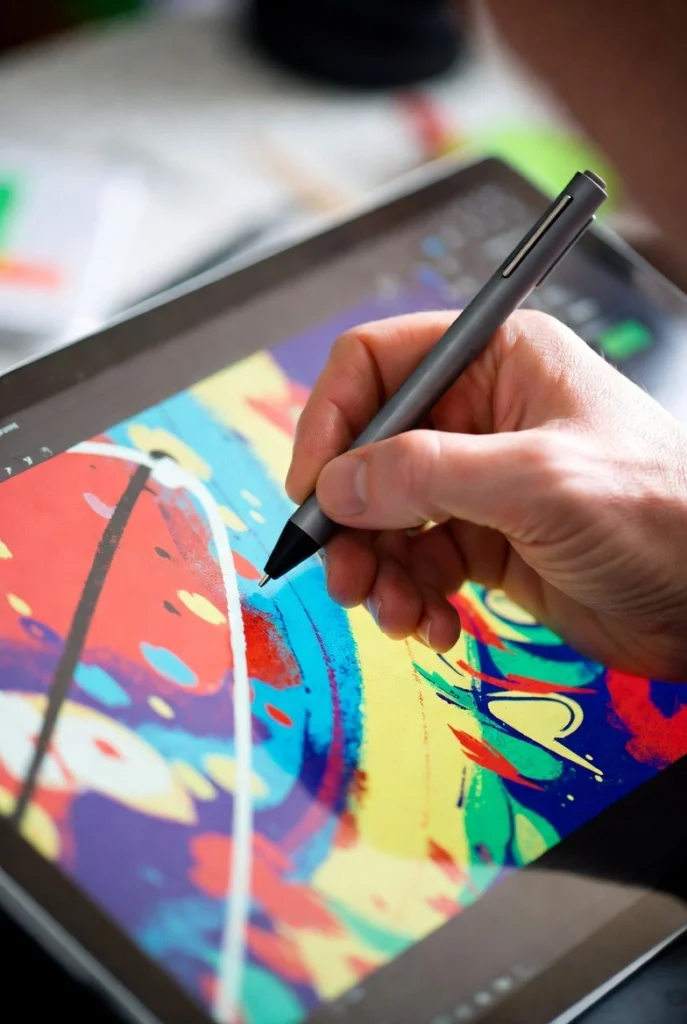
Ergonomic Carpenter-Inspired Pen Design
Microsoft redesigned the Slim Pen with inspiration from a carpenter’s pencil shape.
This provides:
- Better grip stability
- Reduced rolling
- Improved comfort
- More natural hand positioning
- Better long-session usability
Compared to traditional round styluses, the flatter design feels more secure and ergonomic during extended usage.
Natural Writing Experience
One of the biggest strengths of the Slim Pen 2 is how natural the writing experience feels.
The pen is engineered to mimic the sensation of writing on paper through:
- Responsive input
- Improved tip precision
- Reduced latency
- Haptic feedback support
- Pressure sensitivity
This becomes especially noticeable during:
- Handwritten note-taking
- Annotation
- Sketching
- Digital art
- Signing documents
- Brainstorming sessions
For students and professionals transitioning away from paper notebooks, the experience feels surprisingly intuitive.
4,096 Pressure Levels for Precision Control
The Slim Pen 2 supports 4,096 pressure sensitivity levels, making it suitable for advanced creative work.
Why Pressure Sensitivity Matters
Pressure levels determine how accurately the pen responds to hand force.
This allows:
- Thin or thick lines
- Better shading control
- Dynamic brush behavior
- More realistic digital art
- Improved handwriting accuracy
Creative professionals working in:
- Photoshop
- Illustrator
- OneNote
- Sketchbook
- Whiteboard apps
- Design software
will especially appreciate this responsiveness.
Haptic Feedback Technology
A standout feature of the Slim Pen 2 is integrated haptic feedback support.
This technology simulates tactile sensations while writing or drawing, making digital inking feel more realistic.
Benefits include:
- More immersive writing
- Better control
- Reduced disconnect between pen and screen
- Enhanced drawing precision
On supported Windows 11 Surface devices, this feature creates a much more premium inking experience compared to basic stylus solutions.
Up to 15 Hours of Battery Life
Battery life is a major consideration for digital pens.
The Surface Slim Pen 2 offers up to:
- 15 hours of typical usage
This ensures:
- Full-day productivity
- Long creative sessions
- Reduced charging interruptions
- Better travel convenience
The pen also recharges securely while stored in its dedicated keyboard compartment on compatible models, helping keep the accessory ready whenever needed.
Lightweight and Portable Setup
Portability is central to the Surface philosophy.
Despite offering a laptop-like experience, this bundle remains highly portable.
Approximate Dimensions
| Component | Dimensions |
|---|---|
| Keyboard | 11 x 7.54 x 0.27 inches |
| Slim Pen 2 | 5.38 x 0.44 x 0.25 inches |
Weight
| Component | Weight |
|---|---|
| Keyboard | Approx. 340g |
| Slim Pen 2 | Approx. 13g |
This lightweight design makes the setup easy to:
- Carry daily
- Use during travel
- Store in backpacks
- Take to meetings
- Use in classrooms
Real-World Productivity Benefits
The true value of this bundle becomes clear during everyday use.
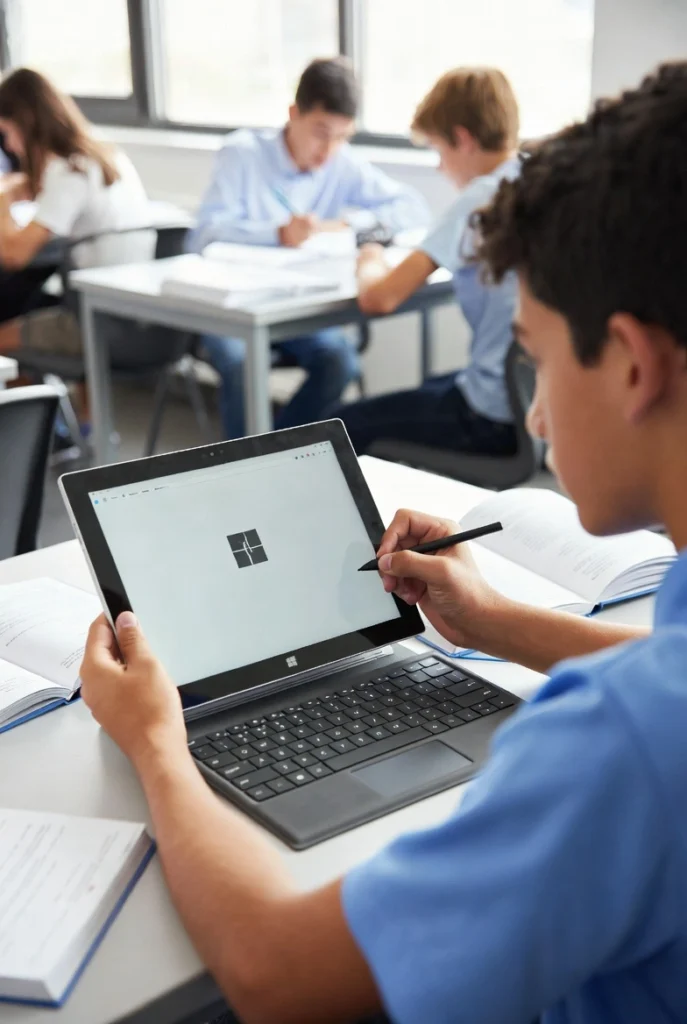
For Students
Students benefit from:
- Fast note-taking
- Digital handwriting
- Portable typing
- Research convenience
- Annotation tools
- Organized digital notebooks
Instead of carrying separate notebooks and laptops, the Surface setup combines everything into one streamlined device.
For Remote Workers
Remote professionals gain:
- Comfortable typing
- Portable workstation flexibility
- Video call convenience
- Easy multitasking
- Better workflow mobility
For Designers and Artists
Creative users benefit from:
- Pressure-sensitive inking
- Precision sketching
- Haptic feedback
- Ergonomic pen handling
- Smooth workflow integration
For Business Professionals
Professionals can:
- Present easily
- Edit documents quickly
- Annotate contracts
- Work during travel
- Maintain professional aesthetics
Why Microsoft’s Official Keyboard Bundle is Better Than Cheap Alternatives
Many users consider cheaper third-party keyboard options initially. However, the long-term experience is often significantly different.
Official Microsoft Bundle Advantages
| Official Microsoft Bundle | Generic Third-Party Accessories |
|---|---|
| Native Surface compatibility | Limited compatibility |
| Premium Alcantara finish | Standard plastic build |
| Precision touchpad | Inconsistent tracking |
| Better stability | Flex and wobble |
| Dedicated Surface integration | Generic shortcuts |
| Premium pen experience | Lower accuracy stylus |
| Better magnetic attachment | Weak attachment systems |
| Windows optimization | Driver inconsistencies |
For premium devices like the Surface Pro, using official accessories often leads to a more reliable and polished experience.
Why Buy from Typeshop.pk Instead of Random Import Sellers?
When purchasing premium Microsoft accessories in Pakistan, the source matters significantly.
Many marketplace listings:
- Lack product authenticity guarantees
- Offer unclear warranty policies
- Provide inconsistent stock
- Sell open-box imports
- Have unreliable after-sales support
At Typeshop.pk, buyers receive a more dependable shopping experience focused on premium tech products.
Advantages of Buying from Typeshop.pk
| Typeshop.pk Benefits | Why It Matters |
|---|---|
| Trusted tech-focused platform | Better product reliability |
| Premium imported accessories | Access to genuine products |
| Clear pricing | No hidden marketplace confusion |
| Dedicated customer support | Better buying confidence |
| Original Microsoft accessories | Reduced counterfeit risk |
| Curated premium inventory | Higher product standards |
For buyers investing in high-end Surface accessories, purchasing from a specialized platform is generally safer than relying on unverified sellers or fluctuating import listings.
Price in Pakistan
Microsoft Surface Pro Keyboard and Slim Pen 2 Bundle Price at Typeshop.pk
| Product | Price |
|---|---|
| Microsoft Surface Pro Keyboard and Slim Pen 2 Bundle for Surface Pro 12″ Device | ₨ 99,999 |
Given the premium materials, official Surface integration, precision pen technology, and advanced productivity features, the bundle targets users looking for a high-end professional experience rather than a basic accessory setup.
Available Color Options
Microsoft offers the keyboard bundle in several modern finishes including:
- Slate
- Violet
- Ocean
The Slate variant remains particularly popular among professionals due to its clean and minimalist appearance.
Premium Typing Experience for Long Work Sessions
Typing comfort becomes increasingly important during extended use. Many thin detachable keyboards compromise heavily on usability, but Microsoft has focused on delivering a more refined experience.
Key characteristics include:
- Comfortable key travel
- Quiet operation
- Consistent responsiveness
- Minimal flex
- Full-sized layout feel
This makes the keyboard suitable for:
- Reports
- Assignments
- Emails
- Content writing
- Coding
- Business communication
For users who spend hours typing daily, these refinements matter significantly.
✨ Seamless Surface Ecosystem Integration
One of the strongest reasons users prefer official Microsoft accessories is ecosystem-level integration. The Microsoft Surface Pro Keyboard and Slim Pen 2 Bundle is not just physically compatible with the Surface Pro 12″ — it is deeply optimized at the software and hardware level.
This results in:
- Faster responsiveness
- Better palm rejection
- Improved gesture handling
- Instant wake and recognition
- More reliable shortcut support
- Native Windows optimization
Unlike generic Bluetooth keyboards that may require pairing or experience intermittent delays, this keyboard attaches magnetically and works immediately.
For professionals who value reliability and consistency, this plug-and-play experience makes daily workflows much smoother.
🎨 Slim Pen 2 for Creative Professionals
The Surface Slim Pen 2 is particularly valuable for creators who want a natural digital drawing and writing experience.
Microsoft designed this stylus to compete with the best premium pen technologies in the industry, making it highly suitable for:
- Digital illustration
- UI/UX design
- Storyboarding
- Concept art
- Architectural sketches
- Photo editing
- Annotation workflows
Advanced Inking Experience
The pen’s responsiveness makes handwriting and sketching feel fluid rather than artificial.
Features contributing to this include:
- Zero-force inking
- Sharper pen tip
- Improved latency
- Real-time stroke rendering
- Tilt and pressure response
For artists transitioning from paper to digital workflows, these improvements significantly reduce the learning curve.
🖊️ Zero-Force Inking Explained
One standout feature often overlooked is zero-force inking.
Traditional styluses sometimes require noticeable pressure before input registers. The Slim Pen 2 minimizes this issue, allowing the screen to detect movement almost immediately upon contact.
Real-World Advantages
This creates:
- More natural handwriting
- Better signature accuracy
- Improved sketch detail
- Smoother line transitions
- Reduced hand fatigue
Especially during:
- Fast note-taking
- Detailed illustration work
- Classroom annotations
- Long brainstorming sessions
the improvement becomes very noticeable.
💼 Designed for Modern Hybrid Work
Today’s professionals rarely work from a single desk all day. Hybrid work has increased demand for flexible computing accessories.
The Surface Pro Keyboard and Slim Pen 2 Bundle is designed exactly for this environment.
Perfect for Mobile Productivity
You can:
- Work at a café
- Join meetings remotely
- Edit files while traveling
- Annotate PDFs on-site
- Switch between typing and handwriting instantly
This flexibility is one of the key reasons many professionals prefer the Surface ecosystem over traditional laptops.
🔥 Dedicated AI Copilot Key
Microsoft is increasingly integrating AI-powered tools into Windows, and this keyboard reflects that future direction.
The dedicated Copilot key provides fast access to AI-powered assistance on supported Windows devices.
Potential uses include:
- Summarizing documents
- Generating writing ideas
- Productivity assistance
- Workflow shortcuts
- Smart search features
- Task organization
As Windows AI capabilities expand over time, this dedicated integration may become even more valuable for productivity-focused users.
🌙 Comfortable Typing Day or Night
The backlit keyboard system is designed for both aesthetics and practicality.
Adjustable Brightness Levels
Users can comfortably work:
- In dark rooms
- During flights
- In conference halls
- During late-night study sessions
The lighting remains subtle enough to avoid distraction while still improving visibility.
For students and professionals working long hours, this feature contributes significantly to comfort and usability.
📚 Excellent for Students and Digital Learning
Students are among the biggest beneficiaries of this bundle.
Instead of carrying:
- Separate notebooks
- Stylus accessories
- External keyboards
- Multiple devices
the Surface setup consolidates everything into one portable workstation.
Educational Advantages
Students can:
- Handwrite lecture notes
- Convert notes digitally
- Annotate PDFs
- Type assignments quickly
- Attend online classes
- Organize research efficiently
The Slim Pen 2 is especially useful in subjects requiring diagrams or equations, such as:
- Mathematics
- Engineering
- Architecture
- Science
- Design
🚀 Productivity Advantages for Office Professionals
Office users benefit heavily from the keyboard’s laptop-like workflow improvements.
Ideal for:
- Microsoft Office
- Excel spreadsheets
- PowerPoint presentations
- Remote meetings
- Business travel
- Corporate communication
The large precision touchpad and stable keyboard structure make prolonged office work significantly easier compared to touchscreen-only usage.
🧠 Smart Ergonomics and User Comfort
Microsoft clearly focused on comfort during the design process.
Keyboard Ergonomics
The keyboard offers:
- Balanced key resistance
- Comfortable palm support
- Reduced typing fatigue
- Better wrist positioning
Pen Ergonomics
The Slim Pen 2:
- Fits naturally in hand
- Reduces slipping
- Feels balanced during writing
- Supports longer usage sessions
These improvements may seem minor individually, but together they dramatically improve long-term usability.
📏 Detailed Technical Specifications
Microsoft Surface Pro Keyboard and Slim Pen 2 Bundle Specifications
| Specification | Details |
|---|---|
| Product Name | Microsoft Surface Pro Keyboard and Slim Pen 2 Bundle |
| Compatibility | Surface Pro 12″ |
| Keyboard Material | Alcantara |
| Keyboard Layout | QWERTY |
| Key Type | Mechanical-style |
| Touchpad | Precision touchpad |
| Backlighting | Yes |
| Connectivity | Magnetic attachment |
| Operating System Support | Windows 10 / Windows 11 |
| Pen Pressure Levels | 4,096 |
| Pen Battery Life | Up to 15 hours |
| Pen Features | Haptic feedback, customizable buttons |
| Colors | Slate, Violet, Ocean |
| Keyboard Weight | Approx. 340g |
| Pen Weight | Approx. 13g |
⚡ Faster Workflow with One-Touch Controls
The dedicated shortcut keys help eliminate unnecessary clicks and interruptions.
Quick Access Features Include:
| Shortcut Feature | Purpose |
|---|---|
| Copilot Key | AI assistance |
| Snipping Tool | Fast screenshots |
| Mic Mute | Instant privacy control |
| Lock Key | Quick device security |
| Media Controls | Playback management |
| Brightness Controls | Display adjustment |
For users who multitask frequently, these small workflow enhancements save meaningful time daily.
🏆 Premium Build Quality That Feels Expensive
Many accessories claim to be premium, but the Surface keyboard genuinely feels high-end in daily use.
Premium Characteristics
- Strong magnetic attachment
- Minimal chassis flex
- Refined fabric finish
- Smooth trackpad texture
- Consistent key stability
- Elegant design language
This attention to detail helps justify the premium positioning of the accessory.
🔄 Smooth Transition Between Typing and Drawing
One of the best parts of the Surface ecosystem is how easily users can shift between work modes.
Example Workflow
A student or professional can:
- Type notes during a lecture
- Fold the keyboard back
- Annotate diagrams using the Slim Pen 2
- Return to typing instantly
This seamless transition is difficult to replicate with traditional laptops.
🎯 Precision Touchpad Performance
Microsoft’s precision touchpad implementation remains one of the best in detachable keyboard accessories.
Supported Gestures Include:
- Two-finger scrolling
- Pinch-to-zoom
- Multi-finger gestures
- Task switching
- Smooth navigation
The responsiveness feels significantly more polished than many third-party detachable keyboards.
🛡️ Reliability Compared to Generic Alternatives
A major reason many users eventually switch back to official Surface accessories is long-term reliability.
Common Problems with Cheap Alternatives
- Weak magnets
- Poor touchpad accuracy
- Driver problems
- Keyboard lag
- Low-quality materials
- Inconsistent stylus performance
Official Microsoft accessories are designed specifically to avoid these issues.
For premium devices like the Surface Pro 12″, investing in properly optimized accessories usually provides a much better long-term experience.
🌍 Excellent Travel Companion
The lightweight design makes this bundle ideal for users constantly on the move.
Travel Advantages
- Thin and compact
- Lightweight
- Easy magnetic attachment
- No bulky setup
- Fast deployment during travel
Whether you’re:
- Working at airports
- Studying in libraries
- Traveling for business
- Working remotely
the portability factor becomes extremely valuable.
🔋 Long Battery Efficiency for Creative Sessions
The Slim Pen 2’s battery optimization helps reduce interruptions during work.
Up to 15 Hours of Usage
This allows:
- Full-day note-taking
- Long drawing sessions
- Extended meetings
- Consistent productivity
The rechargeable lithium-ion battery design is practical for modern hybrid workflows.
🎨 Elegant Color Options
Microsoft’s color options are more refined than typical accessory designs.
Available Finishes
| Color | Ideal For |
|---|---|
| Slate | Professional environments |
| Violet | Stylish modern setups |
| Ocean | Vibrant creative aesthetics |
The Slate version remains especially popular among professionals due to its minimalist premium appearance.
💻 Better Than Using Surface Pro Without a Keyboard
Some users initially buy a Surface Pro intending to use it mainly as a tablet. However, productivity limitations quickly become apparent.
Without a keyboard:
- Typing becomes slower
- Multitasking feels limited
- Professional workflows suffer
- Precision navigation decreases
The official keyboard transforms the device into a much more capable workstation.
📈 Why the Bundle is Worth the Investment
Premium accessories naturally cost more, but the overall experience improvement is substantial.
You are not only paying for:
- A keyboard
- A stylus
You are paying for:
- Better productivity
- Improved comfort
- Professional-grade integration
- Creative flexibility
- Premium materials
- Long-term usability
For users who heavily rely on their Surface device daily, these advantages often justify the higher investment.
🛒 Buy Microsoft Surface Pro Keyboard and Slim Pen 2 Bundle in Pakistan
Pakistani users looking for premium Microsoft Surface accessories often face challenges such as:
- Counterfeit accessories
- Imported open-box products
- Unverified marketplace sellers
- Unclear warranty situations
This is why many buyers prefer specialized tech-focused platforms like Typeshop.pk.
Current Price at Typeshop.pk
| Product | Price |
|---|---|
| Microsoft Surface Pro Keyboard and Slim Pen 2 Bundle for Surface Pro 12″ Device | ₨ 99,999 |
Buying from a dedicated premium tech store provides better confidence compared to random marketplace listings with inconsistent sourcing.
📦 What’s Included in the Box
The bundle generally includes:
- Surface Pro 12-inch Keyboard
- Surface Slim Pen 2
- Quick Start Guide
- Documentation
This allows users to start working immediately after setup.
🔍 Surface Pro Keyboard vs Standard Bluetooth Keyboards
Many users compare the Microsoft Surface Pro Keyboard with ordinary Bluetooth keyboards before making a purchase decision. On paper, cheaper keyboards may appear similar, but the actual experience is very different.
Key Differences
| Feature | Surface Pro Keyboard | Standard Bluetooth Keyboard |
|---|---|---|
| Native Surface Integration | Yes | No |
| Magnetic Attachment | Yes | Usually No |
| Precision Touchpad | Included | Often Missing |
| Alcantara Finish | Premium | Rare |
| Dedicated Windows Shortcuts | Yes | Limited |
| Dynamic Hinge Support | Yes | No |
| Slim Pen Integration | Yes | Usually No |
| Instant Wake & Recognition | Yes | Limited |
| Portable Laptop Experience | Excellent | Basic |
For Surface Pro users who rely on their device professionally, the official keyboard bundle provides a far more refined and productive experience.
🖥️ Surface Pro 12″ Compatibility Explained
The Microsoft Surface Pro Keyboard and Slim Pen 2 Bundle is optimized specifically for the Surface Pro 12″ device.
Compatibility Benefits
Users receive:
- Accurate alignment
- Proper magnetic fit
- Stable typing support
- Native touchpad optimization
- Seamless charging support
- Better gesture functionality
While some older Surface accessories may physically attach to different models, Microsoft’s dedicated compatibility ensures the best performance and reliability.
✍️ Surface Slim Pen 2 vs Traditional Stylus Pens
Not all digital pens are equal. The Slim Pen 2 is designed to provide a premium inking experience closer to real handwriting and sketching.
Comparison Table
| Feature | Surface Slim Pen 2 | Basic Stylus Pens |
|---|---|---|
| Pressure Sensitivity | 4,096 levels | Limited |
| Haptic Feedback | Yes | Usually No |
| Precision Drawing | Excellent | Moderate |
| Palm Rejection Support | Better | Inconsistent |
| Ergonomic Design | Advanced | Generic |
| Charging Integration | Native | External |
| Zero-Force Inking | Yes | Rare |
This makes the Slim Pen 2 much better suited for professional creative work and advanced note-taking.
📖 Ideal Use Cases for the Bundle
The Surface Pro Keyboard and Slim Pen 2 Bundle adapts to multiple user categories.
👨🎓 Students
Perfect for:
- Digital note-taking
- Online classes
- Research work
- PDF annotation
- Assignment writing
👩💼 Business Professionals
Excellent for:
- Office productivity
- Remote meetings
- Corporate travel
- Presentation workflows
- Client communication
🎨 Designers & Artists
Ideal for:
- Digital art
- Illustration
- Storyboarding
- Precision editing
- Creative sketching
🏠 Remote Workers
Helpful for:
- Flexible workspaces
- Portable productivity
- Video conferencing
- Comfortable typing
⚙️ Advanced Keyboard Features
Microsoft included several premium-level engineering improvements that many users overlook initially.
Mechanical-Style Key Feel
The keyboard uses moving mechanical-style keys that provide:
- Better feedback
- Faster typing accuracy
- Comfortable long-term use
- Improved responsiveness
Accelerometer Integration
The built-in accelerometer helps improve adaptive functionality and responsiveness depending on positioning and movement.
Adaptive Touch Precision
The touchpad is optimized for modern Windows gesture navigation, improving overall usability significantly.
🌟 Real-World Experience Compared to Generic Accessories
In actual day-to-day use, official Microsoft accessories tend to feel more polished than generic alternatives.
Common Third-Party Problems
Cheap alternatives often suffer from:
- Touchpad lag
- Weak magnets
- Poor battery handling
- Input delays
- Inconsistent stylus accuracy
- Inferior materials
The official Surface bundle minimizes these compromises and delivers a more consistent premium experience.
🧳 Excellent for Frequent Travelers
Portability is one of the biggest reasons professionals choose the Surface ecosystem.
Travel-Friendly Benefits
- Lightweight construction
- Slim profile
- Minimal cable clutter
- Instant setup
- Compact bag fit
- Easy workspace transitions
For professionals working across:
- Airports
- Universities
- Offices
- Client sites
- Shared workspaces
the portability advantage becomes incredibly useful.
🔐 Built for Long-Term Professional Use
Unlike disposable low-cost accessories, the Surface Pro Keyboard and Slim Pen 2 Bundle is clearly designed for long-term productivity.
Durability Factors
- Premium Alcantara construction
- Stable hinge system
- Quality key mechanisms
- Durable magnetic connectors
- Professional-grade materials
Users investing in premium Surface hardware generally benefit more from official accessories designed around the same quality standards.
📊 Pros and Cons
✅ Pros
| Advantages |
|---|
| Premium Alcantara material |
| Excellent typing experience |
| Precision touchpad |
| Slim Pen 2 included |
| Haptic feedback support |
| 4,096 pressure levels |
| Backlit keys |
| Dedicated Copilot key |
| Lightweight and portable |
| Magnetic attachment system |
| Strong Surface integration |
| Ideal for students and professionals |
❌ Cons
| Limitations |
|---|
| Premium pricing |
| Best optimized mainly for Surface devices |
| Not ideal for hardcore gaming |
| Heavy typists may prefer deeper keyboards |
| Limited value for casual tablet users |
🛍️ Why Typeshop.pk is a Better Place to Buy
When purchasing premium imported Microsoft accessories in Pakistan, reliability matters just as much as price.
Many buyers face issues such as:
- Used/open-box products
- Fake accessories
- Poor after-sales support
- Unclear return policies
- Unverified import stock
At Typeshop.pk, buyers get a more professional purchasing experience focused on premium tech products.
Benefits of Buying from Typeshop.pk
| Typeshop.pk Advantages | Customer Benefit |
|---|---|
| Trusted tech platform | Better buying confidence |
| Original imported accessories | Reduced counterfeit risk |
| Clear product listings | Better transparency |
| Premium product curation | Reliable inventory quality |
| Customer-focused support | Easier assistance |
| Competitive pricing | Better value for premium buyers |
💰 Microsoft Surface Pro Keyboard and Slim Pen 2 Bundle Price in Pakistan
Latest Price at Typeshop.pk
| Product | Price |
|---|---|
| Microsoft Surface Pro Keyboard and Slim Pen 2 Bundle for Surface Pro 12″ Device | ₨ 99,999 |
For users seeking a premium Surface experience with official-quality accessories, this bundle delivers substantial long-term value.
🧠 Buying Guide – Should You Buy This Bundle?
Before purchasing, it’s important to understand whether this bundle fits your workflow.
Buy This Bundle If You:
✅ Use a Surface Pro 12″ regularly
✅ Want laptop-like productivity
✅ Prefer premium build quality
✅ Take handwritten notes
✅ Draw or sketch digitally
✅ Travel frequently
✅ Need portable productivity
✅ Want official Microsoft integration
You May Skip It If You:
❌ Rarely type on your Surface
❌ Only use tablet mode casually
❌ Need gaming-focused peripherals
❌ Prefer extremely low-budget accessories
🏁 Final Verdict
The Microsoft Surface Pro Keyboard and Slim Pen 2 Bundle for Surface Pro 12″ Device is one of the most refined premium accessories available for the Surface ecosystem.
Rather than functioning as a simple detachable keyboard, it transforms the Surface Pro into a complete productivity and creativity platform. The combination of:
- luxurious Alcantara material,
- precise backlit keyboard,
- large precision touchpad,
- advanced Slim Pen 2,
- haptic feedback,
- ergonomic design,
- and deep Windows integration
creates a genuinely premium user experience.
For students, professionals, remote workers, and creative users, the bundle significantly enhances the practicality and versatility of the Surface Pro 12″.
While the price places it firmly in the premium category, the overall build quality, ecosystem integration, portability, and productivity improvements justify the investment for serious users.
For buyers in Pakistan, purchasing from Typeshop.pk offers a more reliable and trustworthy option compared to uncertain marketplace imports or unverified sellers.
Final Price – Buy Surface Slim Pen 2 Bundle in Pakistan
| Product | Price |
|---|---|
| Microsoft Surface Pro Keyboard and Slim Pen 2 Bundle for Surface Pro 12″ Device | ₨ 99,999 |
If you want the best possible typing, writing, and creative experience for your Surface Pro 12″, this bundle remains one of the strongest official accessory choices currently available.
❓ Frequently asked Questions
1. What is the Microsoft Surface Pro Keyboard and Slim Pen 2 Bundle?
It is an official Microsoft accessory package that includes a premium Surface keyboard and the Surface Slim Pen 2 for the Surface Pro 12″ device.
2. Is the Surface Pro Keyboard compatible with Surface Pro 12″?
Yes, it is specifically designed and optimized for the Surface Pro 12″ device.
3. What material is used in the keyboard?
The keyboard features premium Alcantara material for a luxurious and comfortable feel.
4. Does the keyboard include backlit keys?
Yes, it comes with adjustable backlit keys for low-light productivity.
5. Is the Slim Pen 2 included in the bundle?
Yes, the Slim Pen 2 is included in this bundle.
6. Does the Slim Pen 2 support pressure sensitivity?
Yes, it supports 4,096 pressure sensitivity levels.
7. Can I use the Slim Pen 2 for drawing?
Yes, it is excellent for sketching, illustration, and creative work.
8. Does the keyboard attach magnetically?
Yes, it uses a magnetic attachment system for instant connectivity.
9. Is the keyboard wireless?
The keyboard connects directly through the Surface magnetic interface rather than standard Bluetooth pairing.
10. Does the Surface keyboard have a touchpad?
Yes, it includes a large precision touchpad.
11. Is the keyboard suitable for office work?
Yes, it is excellent for office productivity tasks.
12. Can students use this bundle for note-taking?
Yes, it is ideal for digital note-taking and online learning.
13. Does the Slim Pen 2 have haptic feedback?
Yes, supported devices can use haptic feedback features.
14. Is the keyboard portable?
Yes, it is lightweight and travel-friendly.
15. What colors are available?
Common colors include Slate, Violet, and Ocean.
16. Is the keyboard comfortable for long typing sessions?
Yes, Microsoft designed it for extended productivity use.
17. Does the bundle support Windows 11?
Yes, it supports Windows 11 features and integrations.
18. Can I use the keyboard without the Surface Pro?
No, it is designed specifically for Surface devices.
19. Is the Slim Pen rechargeable?
Yes, it uses a rechargeable lithium-ion battery.
20. How long does the Slim Pen 2 battery last?
It offers up to 15 hours of typical usage.
21. Does the keyboard support gesture controls?
Yes, the precision touchpad supports Windows gestures.
22. Is the keyboard good for remote work?
Yes, it is highly suitable for remote and hybrid work setups.
23. Can I use the Slim Pen 2 for handwriting?
Yes, handwriting feels very natural and responsive.
24. Is the keyboard durable?
Yes, it is built using premium-quality materials.
25. Does the keyboard include shortcut keys?
Yes, it includes dedicated productivity shortcut buttons.
26. What is the Copilot key used for?
It provides quick access to AI-powered Windows features.
27. Is this bundle good for creative professionals?
Yes, designers and artists benefit greatly from the Slim Pen 2.
28. Does the keyboard fold for tablet mode?
Yes, it supports flexible usage positions and tablet mode.
29. Is the Surface keyboard better than third-party alternatives?
Official Microsoft accessories generally offer better integration and reliability.
30. Can the Slim Pen 2 be used for PDF annotation?
Yes, it works very well for annotations and document markup.
31. Is the keyboard spill-resistant?
It offers resistance against minor accidental spills but is not waterproof.
32. Does the keyboard support media controls?
Yes, dedicated media controls are included.
33. Can I use the keyboard while traveling?
Yes, it is designed for portable productivity.
34. Does the touchpad feel smooth?
Yes, the precision touchpad is highly responsive and smooth.
35. Is this bundle suitable for business users?
Yes, it is excellent for professional workflows.
36. Can artists use pressure-sensitive brushes?
Yes, supported software can fully utilize pressure sensitivity.
37. Is the Surface Slim Pen 2 ergonomic?
Yes, its carpenter-inspired design improves grip comfort.
38. Is this accessory bundle premium?
Yes, it is considered one of Microsoft’s premium Surface accessories.
39. Where can I buy the Microsoft Surface Pro Keyboard and Slim Pen 2 Bundle in Pakistan?
You can buy it from Typeshop.pk.
40. What is the price in Pakistan?
The current Typeshop.pk price is ₨ 99,999.
Microsoft Surface Pro Keyboard 12 price in Pakistan
Thanks For Visiting Typeshop.pk
Customer Reviews
Related Products
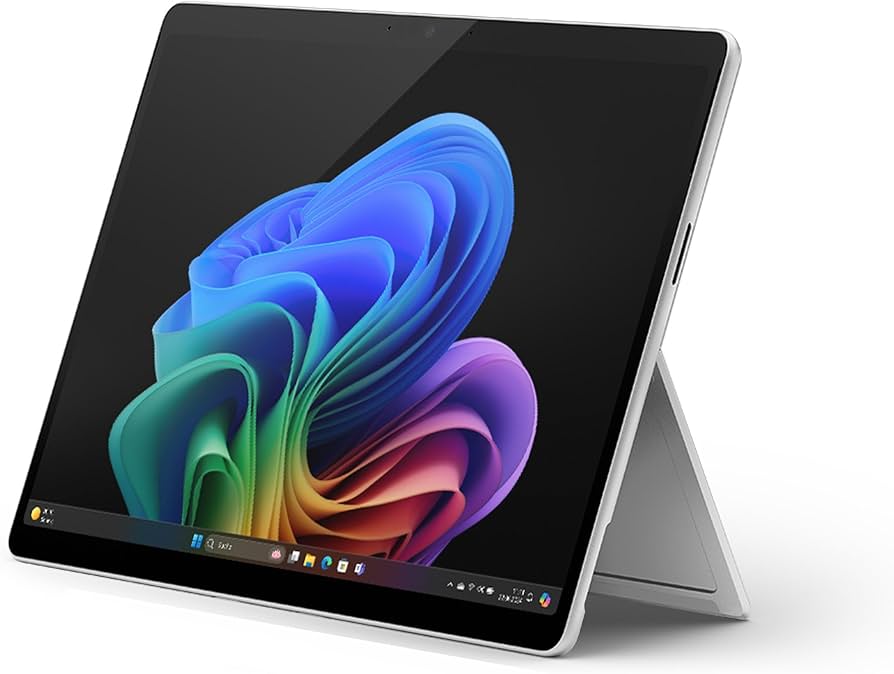
Buy New Microsoft Surface Pro 11 OLED X Elite Processor, Copilot+PC – Order Now!
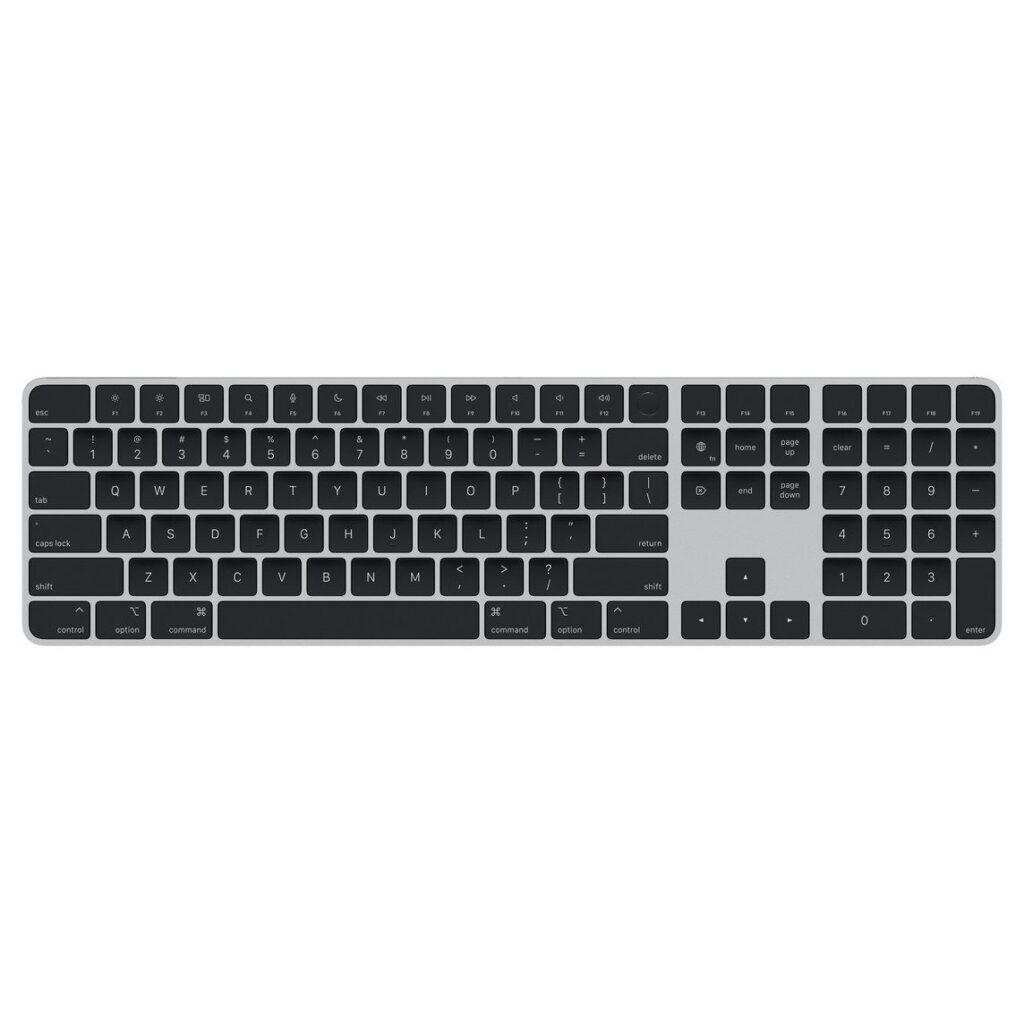
Magic Keyboard with Touch ID and Numeric Keypad for iMac – US English – Black Keys
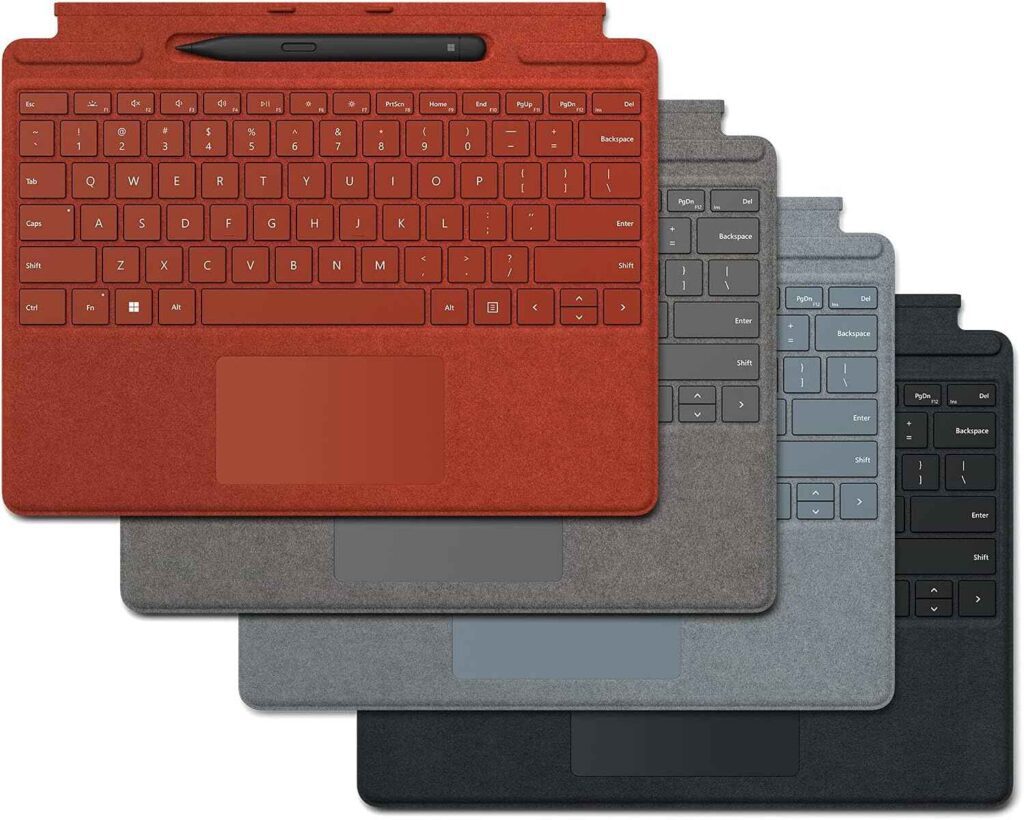
Microsoft Surface Pro Signature Keyboard with Slim Pen 2


Reviews
Clear filtersThere are no reviews yet.