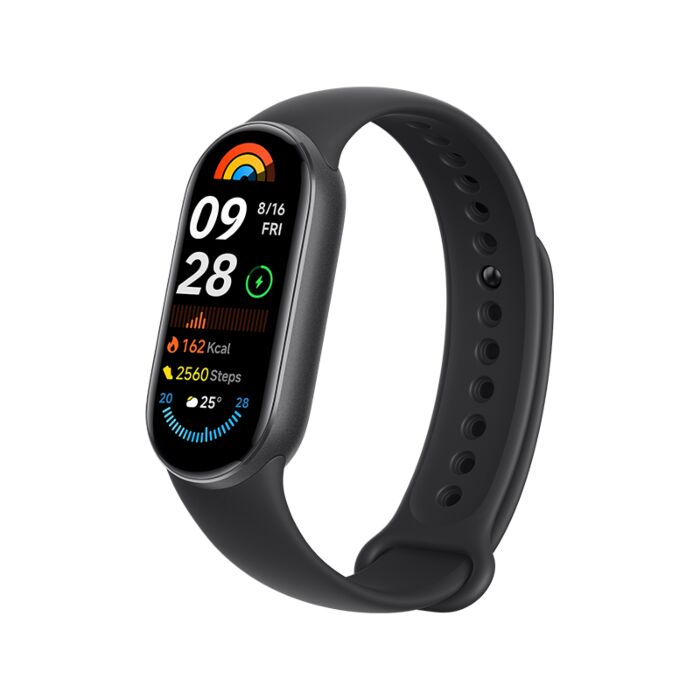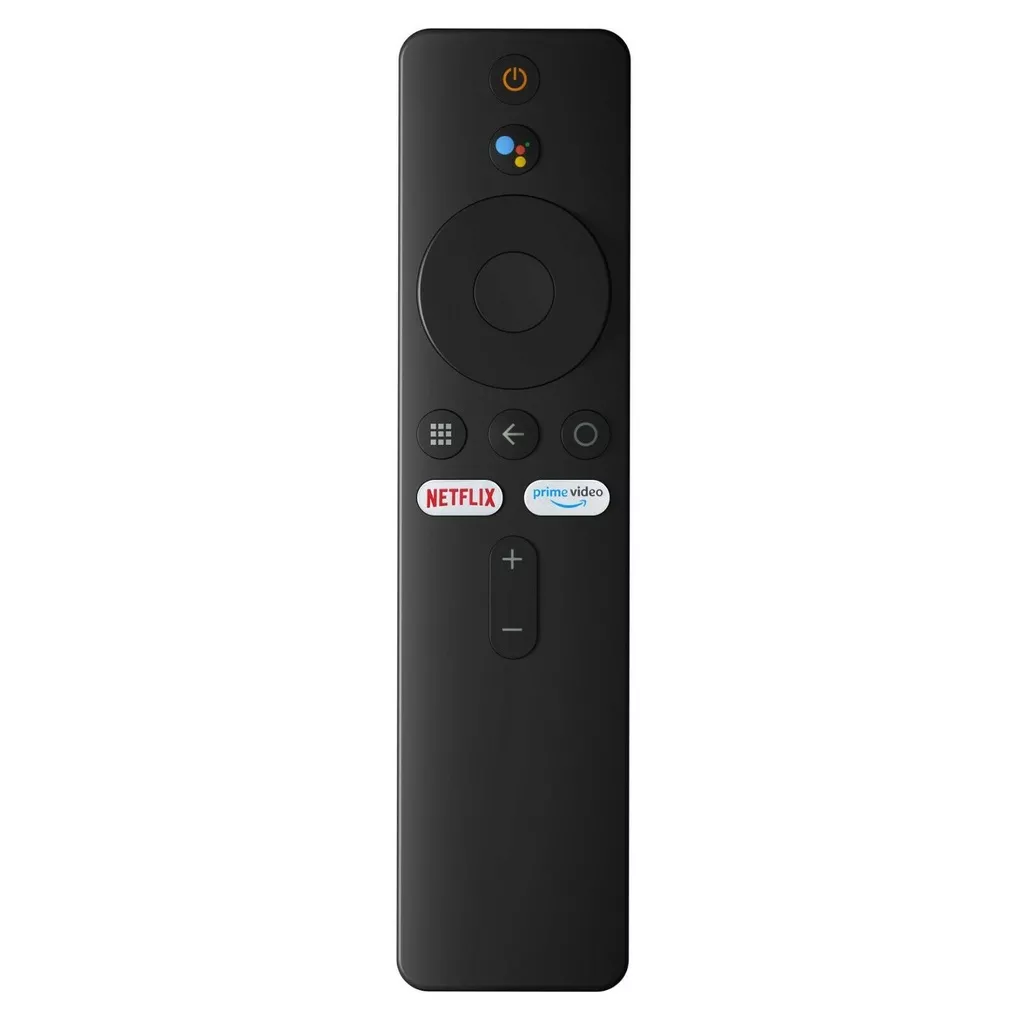



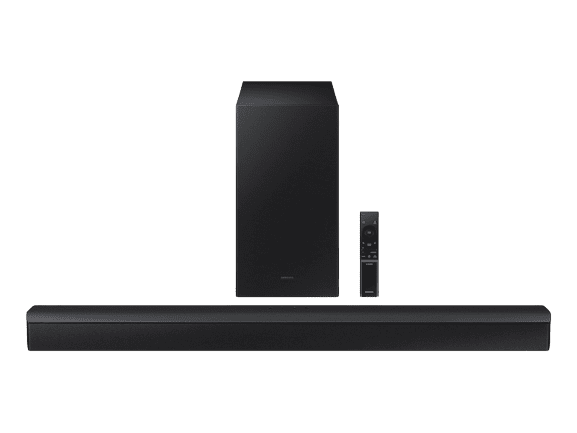
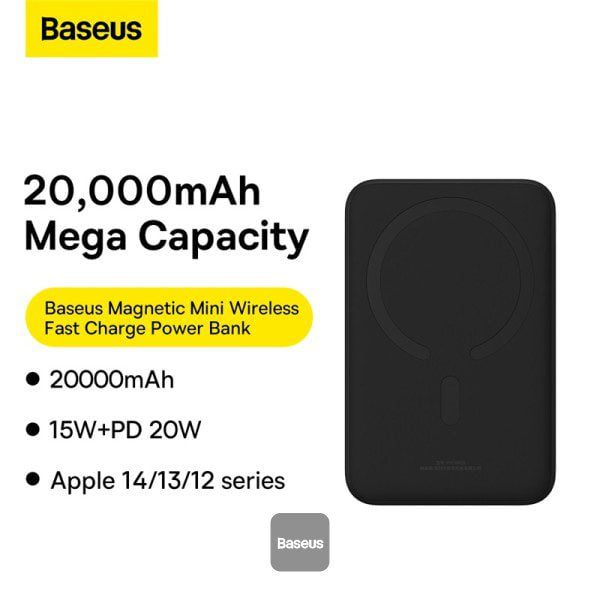
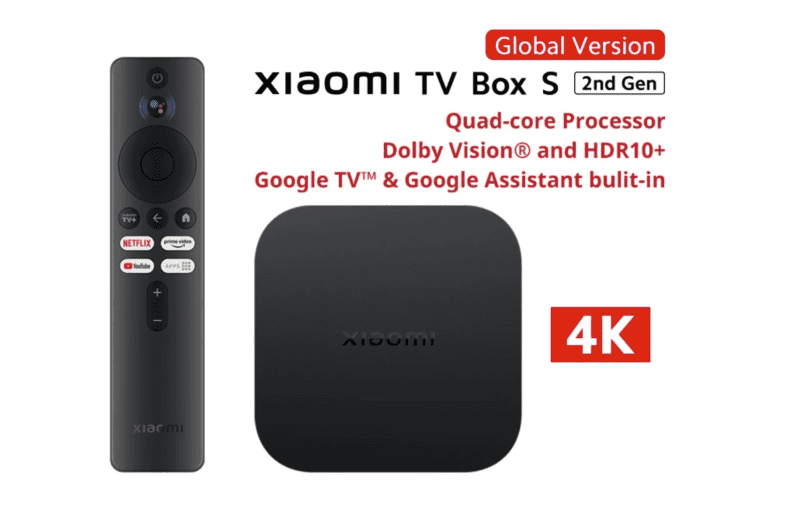
Xiaomi Mi Box S (2nd Gen) 4K Ultra HD Smart TV Box

(2 customer reviews)

Original price was: ₨ 15,999.Current price is: ₨ 14,499.

0 People watching this product now!

Payment Methods:

Typeshop.pk

Description

⚡ Xiaomi Mi Box S 2nd Gen 4K Ultra HD Typeshop Price in Pakistan

The Xiaomi Mi Box S 2nd Gen is a feature-rich Smart TV box that transforms your standard TV into a high-performance 4K Ultra HD entertainment hub. With Google TV integration, Netflix, YouTube, and other streaming platforms, the Mi Box S makes streaming content fast, smooth, and accessible.

Whether you’re watching movies, gaming, or casting content from your smartphone, the Mi Box S ensures ultra-high resolution, smooth playback, and immersive audio.

Price in Pakistan: ₨14,499

🖥️ Key Features of Xiaomi Mi Box S 2nd Gen

1. 4K Ultra HD Output Resolution

  • Supports 3840 x 2160p resolution for crisp and vibrant visuals.

  • Enjoy movies, TV shows, and streaming content in true 4K.

  • HDR support ensures dynamic colors and contrast.

2. Powerful CPU and GPU

  • CPU: Quad-Core Cortex-A55

  • GPU: ARM Mali G31 MP2

  • Provides smooth performance for apps, streaming, and games.

  • No lag, even when running multiple apps.

3. Memory and Storage

  • RAM: 2GB

  • ROM: 8GB internal storage

  • Enough for installing apps, games, and storing offline content.

4. Operating System – Google TV

  • Built-in Google TV for an intuitive interface.

  • Access to Google Play Store for apps, streaming services, and games.

  • Supports voice commands with Google Assistant.

5. Wireless Connectivity

  • Wi-Fi: 2.4GHz / 5GHz dual-band

  • Bluetooth: 5.2 for fast and stable connections

  • Cast content from smartphones or tablets using Google Cast.

6. Audio & Video Support

  • Supports Dolby Audio® and DTS-HD for cinematic sound.

  • Compatible with Dolby Vision® and HDR10+ for ultra-rich visuals.

  • Video playback up to 4K 60FPS.


🔌 Ports & Interfaces

  • HDMI 2.1: 1 port

  • USB 2.0: 1 port

  • Audio Output: 1

  • Power Interface: 1

This allows for easy connection to TVs, sound systems, and external storage.


🌐 1. Smart Home Integration & Voice Control

  • Google Assistant Compatibility: Xiaomi Mi Box S 2nd Gen works as a smart home hub, allowing users to control lights, thermostats, and other smart devices using voice commands.

  • Automation: Pair with Google Home devices to create routines, such as turning on TV and dimming lights simultaneously.

  • Hands-Free Control: Supports voice-activated search for Netflix, YouTube, and music streaming without using the remote.

Pro Tip: Use voice shortcuts to play your favorite playlists or launch apps faster.


🧩 2. Advanced Casting & Multi-Screen Features

  • Multi-Device Casting: Mirror content from smartphones, tablets, and laptops simultaneously.

  • Screen Scaling & Quality: Adjust resolution settings for smooth playback without lag.

  • Remote Casting Management: Control casting sessions directly from the Mi Box S interface.

Lifestyle Use Case: Perfect for watching sports with friends by casting live streams from multiple devices.


🎮 3. Casual Gaming & Entertainment Expansion

  • Google Play Store Games: Supports games like Asphalt, PUBG Mobile Lite, and casual arcade titles.

  • Controller Support: Pair wireless controllers via Bluetooth 5.2.

  • Low Latency Mode: Optimized settings for minimal input lag during gaming sessions.

Tip: Reduce background apps for smoother performance when gaming.


📦 4. Unboxing & Setup – Detailed Insights

  • Step-by-Step Unboxing: Carefully unpack Mi Box S, HDMI cable, remote, and power adapter.

  • Remote Pairing: Ensure Bluetooth remote is paired and voice assistant is active.

  • Wi-Fi Configuration: Prefer 5GHz Wi-Fi for 4K streaming without buffering.

  • Firmware Update: Check for latest software updates immediately after setup.

Pro Tip: Keep Mi Box S elevated for better Wi-Fi reception.


📺 5. Comparison With Other Smart TV Boxes (Extended)

Feature Xiaomi Mi Box S 2nd Gen Apple TV HD Roku Streaming Stick 4K Generic Android Box
OS Google TV tvOS Roku OS Android
Resolution 4K 60FPS 1080p 4K 4K
Wi-Fi 2.4/5GHz Dual Band 2.4GHz 5GHz 2.4GHz
Audio Dolby Audio®, DTS-HD Dolby Digital Dolby Atmos Varies
Storage 8GB 32GB Limited Varies
Voice Control Google Assistant Siri Yes Optional

Verdict: Mi Box S 2nd Gen offers best balance of affordability, 4K support, and Google ecosystem.


🔧 6. Tips for Maintenance & Longevity

  • Regular Software Updates: Keeps apps and firmware secure and optimized.

  • Avoid Overheating: Place on flat surfaces; do not cover.

  • Remote Care: Replace batteries periodically; keep away from moisture.

  • External Storage Management: Clean cache and unused apps to maintain performance.

Pro Tip: Use a USB drive to expand storage for offline media.


🎶 7. Audio & Video Optimization

  • Dolby Audio® Settings: Customize audio output for home theater experience.

  • HDR Calibration: Adjust HDR settings based on TV compatibility.

  • Equalizer Settings: Enhance bass or treble for gaming, movies, or music.

Lifestyle Tip: Pair with Bluetooth headphones for late-night viewing without disturbing others.


🌟 8. Travel & Portable Entertainment

  • Compact Size: 95.25mm x 95.25mm x 16.7mm makes it easy to pack.

  • Universal Compatibility: Works in hotels or guest houses with HDMI-enabled TVs.

  • Multi-Language Support: Global version supports multiple languages, making it travel-friendly.

Use Case: Take it on vacations to enjoy your streaming library anywhere.


📝 9. Multi-User Profiles & Personalized Experience

  • Separate Google Accounts: Supports multiple profiles for family members.

  • Content Filtering: Each profile can have personalized recommendations.

  • Parental Controls: Restrict content for children’s viewing.

Pro Tip: Create children’s profile with age-appropriate apps and games.


💡 10. Energy Efficiency & Eco-Friendly Usage

  • Low Standby Power: Minimal energy consumption when idle.

  • Auto Sleep Mode: Configurable to turn off after inactivity.

  • Eco-Friendly Materials: Built with recyclable plastics and minimal power adapter design.


❓ Extended Frequently Asked Qu

</picture></div></div><div bg

📏 Dimensions & Design

Specification Details
Length 95.25mm
Width 95.25mm
Thickness 16.7mm
Weight 142g
Color Black
  • Compact and lightweight design fits seamlessly behind your TV.

  • Minimalistic aesthetic complements any home entertainment setup.


📦 Packaging – What’s Included

  • Xiaomi Mi Box S 2nd Gen 📦

  • Remote Control 📦

  • User Manual 📦

  • Power Adapter 📦

  • HDMI Cable 📦


✅ Benefits of Buying Xiaomi Mi Box S from Typeshop.pk

  1. Easy Returns – Hassle-free return policy.

  2. Fast Deliveries – Quick shipping across Pakistan.

  3. Easy Payments – Multiple payment methods available.

  4. Company Official Warranty – Ensure peace of mind.

  5. Customer Reviews – Trusted feedback from other buyers.


🔋 Why Xiaomi Mi Box S 2nd Gen is Worth Buying

  • Turn any TV into a Smart TV with 4K Ultra HD support.

  • Google TV OS gives access to all your favorite apps.

  • Supports Netflix, YouTube, and casting from smartphones.

  • Immersive audio support with Dolby Audio® and DTS-HD.

  • Compact design fits anywhere, perfect for home setups.


⚡ Advanced Features of Xiaomi Mi Box S 2nd Gen

1. Google TV Integration

  • Access all your favorite streaming apps from Netflix, YouTube, Prime Video, Disney+, and more.

  • Built-in Google Assistant allows voice search and smart controls.

  • Personalized recommendations on the home screen make it easy to discover new content.

2. Casting & Smart Connectivity

  • Supports Google Cast for mirroring smartphone, tablet, or laptop screens.

  • Stream photos, videos, and apps directly to your TV without cables.

  • Compatible with Android and iOS devices, making it versatile.

3. Immersive Audio & Video Technology

  • Dolby Audio® and DTS-HD for cinematic sound quality.

  • HDR10+ and Dolby Vision® ensure vivid colors, brightness, and contrast.

  • Supports 4K 60FPS playback for smooth and sharp video experience.

4. Quad-Core Cortex-A55 CPU & ARM Mali G31 MP2 GPU

  • Efficient quad-core processor ensures smooth performance for streaming, apps, and gaming.

  • GPU handles high-definition graphics, making the user interface fluid.

  • Minimal lag even when running multiple apps simultaneously.


🔌 Ports and Connectivity Explained

Port Function
HDMI 2.1 Connect to TV for 4K Ultra HD output
USB 2.0 Plug in external drives or accessories
Audio Output Connect to speakers or sound system
Power Interface Connects to power adapter

Tip: Use HDMI 2.1 port for full 4K 60FPS performance.


🧰 Setup Guide for Xiaomi Mi Box S

Step 1: Connect to TV

  • Plug the HDMI cable into your TV and Mi Box.

  • Ensure TV is set to the correct HDMI input.

Step 2: Power On

  • Connect the power adapter and turn on the Mi Box S.

  • The LED indicator confirms power is on.

Step 3: Pair Remote

  • Insert batteries into the remote.

  • Follow on-screen instructions to pair remote via Bluetooth.

Step 4: Connect Wi-Fi

  • Select your Wi-Fi network and enter password.

  • Dual-band Wi-Fi ensures fast and stable connection.

Step 5: Sign in to Google Account

  • Sign in to Google TV to access apps, Google Play Store, and recommendations.

Step 6: Install Streaming Apps

  • Download apps like Netflix, YouTube, Prime Video, Disney+, and others.

  • Use voice search for quick navigation.


📊 Performance & Streaming Experience

  • Video Playback: 4K Ultra HD at 60FPS ensures smooth visuals.

  • Audio Experience: Dolby Audio® and DTS-HD provide rich cinematic sound.

  • Gaming: Casual games run smoothly from Google Play Store.

  • Multi-tasking: Switch between apps seamlessly without lag.

Pro Tip: Use the 5GHz Wi-Fi band for faster streaming and minimal buffering.


🏆 Comparison with Other Smart TV Boxes

Feature Xiaomi Mi Box S 2nd Gen Mi Box 1st Gen Generic Smart TV Box
Output 4K Ultra HD 60FPS 4K 30FPS 1080p/4K 30FPS
OS Google TV Android TV Custom OS
Wi-Fi 2.4/5GHz Dual Band 2.4GHz 2.4GHz
Bluetooth 5.2 4.2 4.0
Storage 8GB ROM, 2GB RAM 8GB ROM, 1GB RAM Varies
Ports HDMI 2.1, USB 2.0, Audio HDMI, USB HDMI, USB

Verdict: Mi Box S 2nd Gen is faster, smoother, and better for 4K streaming compared to older models or generic boxes.


🧠 Tips for Optimized Use

  1. Keep software updated via Google TV settings.

  2. Use high-speed HDMI cable for best 4K 60FPS performance.

  3. Avoid metal objects near the device to prevent interference.

  4. Enable automatic updates for apps to enjoy latest features.

  5. Use Google Assistant voice commands for faster navigation.


🌟 Lifestyle Insights & Real-World Use Cases

1. Family Entertainment

  • Stream movies, shows, and cartoons in 4K Ultra HD for the whole family.

  • Dolby Audio® and DTS-HD provide cinematic sound experience.

  • Easy navigation with Google TV recommendations.

2. Work-from-Home Setup

  • Use Mi Box S to cast presentations, video conferences, or Zoom calls from your laptop or smartphone.

  • Adjustable remote control with Google Assistant makes multitasking easy.

3. Student Dorm or Study Room

  • Use for educational apps, YouTube tutorials, and online classes.

  • Compact size fits small desks or shelves.

  • Google Cast allows screen mirroring from tablets or laptops.

4. Travel & Portability

  • Lightweight and 95.25mm x 95.25mm x 16.7mm size makes it easy to carry in luggage.

  • All-in-one solution: stream, play, or mirror content anywhere with Wi-Fi.


❓ Frequently Asked Questions About Xiaomi Mi Box S (2nd Gen)

1. What is the price of Xiaomi Mi Box S 2nd Gen in Pakistan?
₨14,499

2. Does Xiaomi Mi Box S support 4K Ultra HD streaming?
Yes, supports 3840 x 2160p resolution with HDR10+ and Dolby Vision®.

3. Which operating system does Xiaomi Mi Box S use?
Google TV OS, providing access to Google Play Store and streaming apps.

4. How much RAM and storage does Xiaomi Mi Box S 2nd Gen have?
2GB RAM and 8GB internal storage.

5. Can Xiaomi Mi Box S connect to Wi-Fi and Bluetooth devices?
Yes, dual-band Wi-Fi 2.4GHz/5GHz and Bluetooth 5.2 are supported.

6. Does it support Netflix, YouTube, and Google Cast?
Yes, fully compatible with streaming apps and casting content.

7. How many HDMI and USB ports are available?
1 HDMI 2.1 port and 1 USB 2.0 port.

8. Does Xiaomi Mi Box S support Dolby Audio® and DTS-HD?
Yes, provides cinematic sound quality for an immersive experience.

9. Can I use the Xiaomi Mi Box S on any TV?
Yes, any TV with HDMI port can use it.

10. Is the Xiaomi Mi Box S remote voice-enabled?
Yes, supports Google Assistant voice commands.

11. What is the weight and size of the Mi Box S?
142g, 95.25mm x 95.25mm x 16.7mm.

12. Does Xiaomi Mi Box S support gaming?
Yes, casual games from Google Play Store are supported.

13. Can it be used for casting from Android and iOS devices?
Yes, supports Google Cast for both Android and iOS devices.

14. Is the Xiaomi Mi Box S suitable for watching 60FPS content?
Yes, supports up to 4K 60FPS playback.

15. Does it come with a warranty?
Yes, comes with official company warranty.

16. Does Xiaomi Mi Box S support HDR content?
Yes, it supports HDR10+ and Dolby Vision®.

17. Can I play games on Xiaomi Mi Box S?
Yes, casual games from Google Play Store are supported.

18. How do I cast my smartphone screen to Mi Box S?
Use Google Cast from your Android or iOS device.

19. What type of HDMI cable is recommended for 4K 60FPS?
HDMI 2.1 cable is recommended for full 4K 60FPS performance.

20. Is voice search available?
Yes, the remote supports Google Assistant voice search.

21. Can Mi Box S be connected to a sound system?
Yes, use the audio output port or HDMI for audio devices.

22. How do I install Netflix on Mi Box S?
Download from Google Play Store and log in with your account.

23. Is Mi Box S compatible with older TVs?
Yes, any TV with HDMI port works, but 4K output requires 4K-capable TV.

24. How much internal storage is available for apps?
8GB ROM is available; about 5–6GB free for apps.

25. Does it support dual-band Wi-Fi?
Yes, 2.4GHz and 5GHz dual-band Wi-Fi is supported.

26. Can I use the device with Ethernet?
No, it uses Wi-Fi only; no Ethernet port.

27. Does Mi Box S support Bluetooth audio devices?
Yes, Bluetooth 5.2 allows headphones, speakers, and game controllers.

28. How do I reset Xiaomi Mi Box S?
Go to Settings → Device Preferences → Reset for factory reset.

29. Is Xiaomi Mi Box S energy-efficient?
Yes, low power consumption in standby and active mode.

30. Can I expand storage via USB?
Yes, USB 2.0 allows external storage support for media.

31. Is Xiaomi Mi Box S suitable for gaming consoles?

  • It is compatible with wireless game controllers but is not a gaming console.

32. Can I update the Mi Box S firmware manually?

  • Yes, via Settings → Device Preferences → About → System Update.

33. How many devices can connect via Bluetooth simultaneously?

  • Usually one audio device and one remote at a time.

34. Does it support subtitles and multiple languages?

  • Yes, Google TV supports multi-language subtitles and audio options.

35. Can I schedule auto-shutdown or sleep mode?

  • Yes, set sleep timer via Settings → Device Preferences → Sleep.

36. Is it child-friendly and safe for kids?

  • Yes, parental controls can be set via Google TV for safe streaming.

37. Can I install VPN apps on Mi Box S?

  • Yes, download VPN apps from Google Play Store for streaming restrictions.

38. Does Mi Box S support Dolby Atmos?

  • Yes, audio output supports Dolby Atmos if your system is compatible.

39. How long is the warranty period?

  • Comes with official company warranty from Typeshop.pk.

40. Is Xiaomi Mi Box S worth buying in Pakistan?

  • Absolutely, combining affordable price, 4K Ultra HD, Google TV OS, and versatile features, it’s one of the best Smart TV boxes in Pakistan.

41. Can Xiaomi Mi Box S 2nd Gen connect to smart speakers?

  • Yes, via Bluetooth 5.2, for music or cinematic experience.

42. Does it support VPN apps for geo-restricted content?

  • Yes, download VPN apps from Google Play Store.

43. Can multiple users stream different apps simultaneously?

  • Yes, via multi-user profiles and app switching.

44. Is Google Assistant available in multiple languages?

  • Yes, supports English, Urdu, and other global languages.

45. Does Mi Box S support subtitles in streaming apps?

  • Yes, supports SRT and multi-language subtitles.

46. How do I pair Bluetooth headphones or speakers?

  • Go to Settings → Remote & Accessories → Add Accessory.

47. Can I use Mi Box S for presentations in meetings?

  • Yes, cast your laptop or smartphone screen for slideshows.

48. Does Mi Box S have built-in storage for apps and games?

  • Yes, 8GB ROM is available, roughly 5–6GB usable.

49. Can Mi Box S run emulators or older Android apps?

  • Yes, most lightweight Android apps are compatible.

50. Is it suitable for elderly users?

  • Yes, simple UI, Google TV interface, and voice commands make it easy to use.


🔥 Bonus Tips for Power Users

  • Customize Home Screen: Pin frequently used apps for faster access.

  • Offline Media Playback: Use USB or external storage to play local media.

  • Shortcut Commands: Google Assistant can launch apps, play music, or search content instantly.

  • Network Optimization: Use Wi-Fi analyzer apps to ensure fastest streaming channels.


✅ Pros & Cons of Xiaomi Mi Box S 2nd Gen

Pros:

  • 4K Ultra HD with 60FPS playback

  • Google TV OS with access to thousands of apps

  • Dolby Audio® & DTS-HD support

  • Dual-band Wi-Fi and Bluetooth 5.2 connectivity

  • Compact and portable design

  • Voice-enabled remote with Google Assistant

  • Official warranty and Typeshop.pk support

Cons:

  • Limited internal storage (8GB ROM)

  • USB 2.0 only; no USB 3.0 support

  • Not a full-fledged gaming console


🔥 Final Verdict – Xiaomi Mi Box S (2nd Gen) 4K Ultra HD Smart TV Box

The Xiaomi Mi Box S 2nd Gen is a powerful, compact, and affordable Smart TV solution for Pakistani users looking to transform any TV into a 4K Ultra HD entertainment hub.

  • Performance: Smooth and lag-free streaming thanks to Quad-Core CPU and ARM Mali G31 MP2 GPU.

  • Connectivity: Dual-band Wi-Fi and Bluetooth 5.2 make casting and connecting accessories seamless.

  • Audio & Video: Supports Dolby Audio®, DTS-HD, HDR10+, and Dolby Vision® for cinematic experience.

  • Ease of Use: Google TV OS, voice-enabled remote, and intuitive interface simplify navigation.

  • Portability: Small, lightweight, and travel-friendly.

Conclusion:
For a price of ₨14,499, Xiaomi Mi Box S offers excellent value with access to Netflix, YouTube, Google Cast, apps, casual games, and immersive audio-video features. It’s perfect for home entertainment, student rooms, or work-from-home setups, making it one of the best Smart TV boxes available in Pakistan today.

Recommended For:
✔️ Netflix and streaming enthusiasts
✔️ Users who want Google TV OS and apps on any TV
✔️ Families, students, and office users
✔️ People looking for compact and portable Smart TV solutions

Xiaomi Mi Box S 2nd Gen 4K Ultra HD Typeshop Best Price in Pakistan

Thanks For Visiting Typeshop

Customer Reviews

5
2 reviews
2
0
0
0
0

2 reviews for Xiaomi Mi Box S (2nd Gen) 4K Ultra HD Smart TV Box

Clear filters
  1. Iqra ali

    Value for money
    Durability
    Delivery speed

    Product was good and delivery was fast.
    Satisfied

  2. Mashood

    Value for money
    Durability
    Delivery speed

    Product was original And Delivery Is Very Fast
    Satisfied

Add a review

Your email address will not be published. Required fields are marked *

1 2 3 4 5
1 2 3 4 5
1 2 3 4 5

You have to be logged in to be able to add photos to your review.